AI Customer Support for Shopify: What to Automate and What to Leave Human
Every AI vendor selling to Shopify stores leads with the chatbot. Put it on the storefront, it answers customers, you save a headcount. I have watched that go wrong enough times to have a rule about it, and the rule is at the end. First, the four places AI has actually paid off in a support operation I run, none of which talk to a customer.
Built behind the agent
Support automation that stays invisible
Triage, drafts, pre-call briefs and call scoring, built on the helpdesk and phone system you already have. Fixed price per build, read only where it touches customer data.
If calls are the problem
Score every call automatically
Transcribed, translated, scored for agent tone and customer sentiment, tagged by reason, in a sheet by Monday. The build, what broke, and what it cost.
1. Triage and tagging
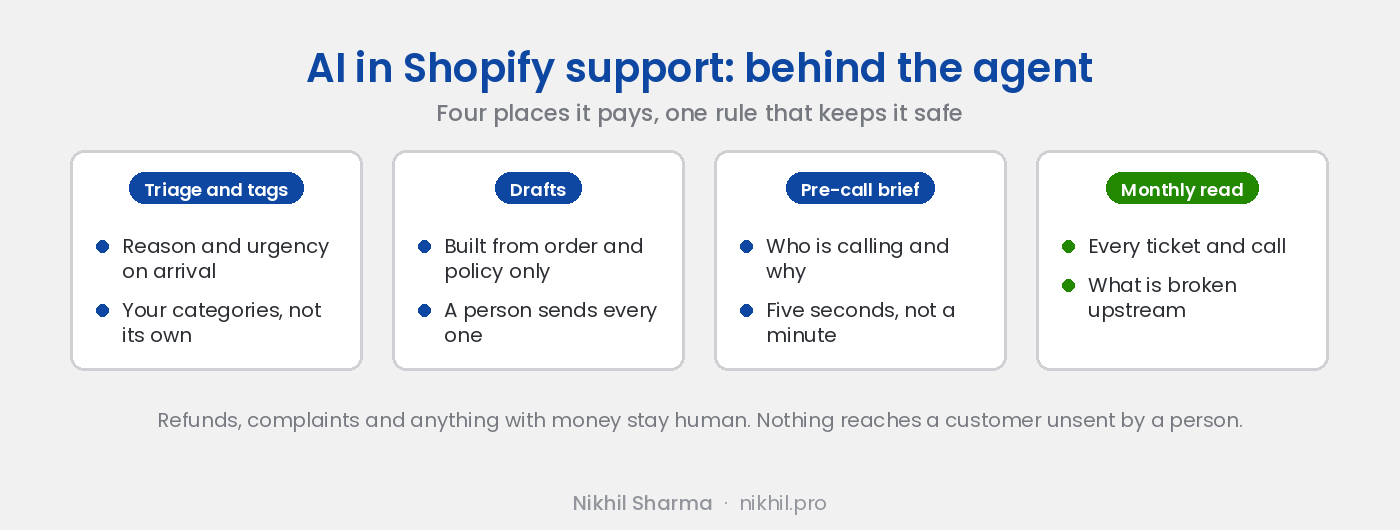
Every ticket that arrives gets read by a model before a person sees it. It tags the reason (where is my order, damaged, wrong item, question before buying, return) and the urgency, pulls the order, and routes it. Most helpdesks include this in the plan now. The value is not speed on any one ticket; it is that at the end of the month the tags are consistent, and consistent tags are what step four needs.
The setup that matters: give it your categories, not its own. A model left to invent tags produces forty of them in a week.
2. Drafts, sent by a person
The model reads the ticket, the order, the shipping status and the policy, and writes the reply. The agent reads it, fixes it if needed, and sends. First response time falls by more than half and the agent is still the one who said it.
The constraint that keeps this safe: the draft is built from what is in front of the model, the policy document, the order, the carrier status. If the answer is not in those, the draft says “I need to check this” and the agent takes it from there. A model with a wide brief writes confident answers to questions it cannot see, and that is where the invented refund comes from.
3. The pre-call brief
An agent picking up a phone call spends the first minute asking who is calling and scrolling for the order. The pre-call brief does that minute in five seconds: the caller matched to the customer record, their open orders, the last ticket, the last call’s summary, and the one line the model thinks the call is about. The agent starts the call already knowing.
This one needed the call analysis to exist first, because the brief’s most useful line is what the last call was about, and someone has to have read the last call.
4. Reading everything, once a month
This is the one most stores never do and the one that moves the ticket count. Every ticket and every call from the month, run through a model with one question: what is the customer actually contacting us about, and what upstream would have prevented it. Not the tag, the cause. “Where is my order” is a tag; “the delivery estimate on the product page says two days and the carrier takes four to the West Coast” is a cause.
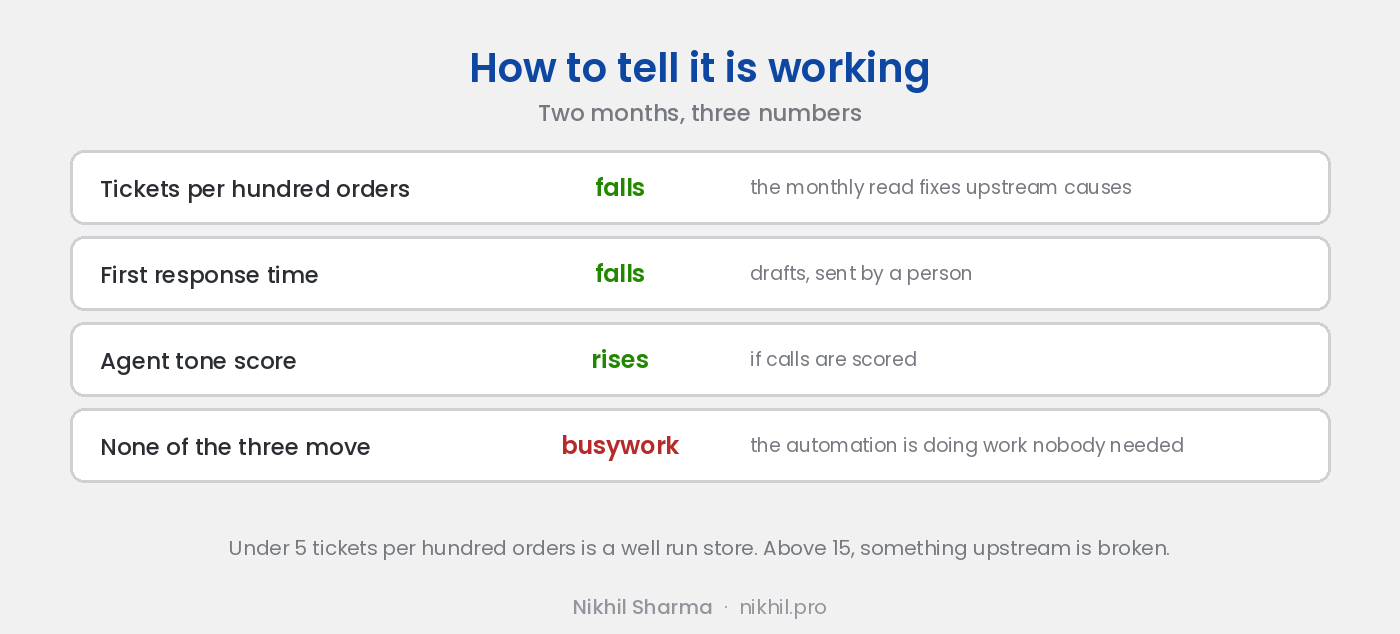
The call analysis pipeline does this for calls automatically. For tickets it is a monthly export and a prompt. The output is a ranked list of the five things to fix outside support, and the month after you fix the top one, tickets per hundred orders drops. That number, from the KPIs post, is the one this whole section exists to move.
What stays human
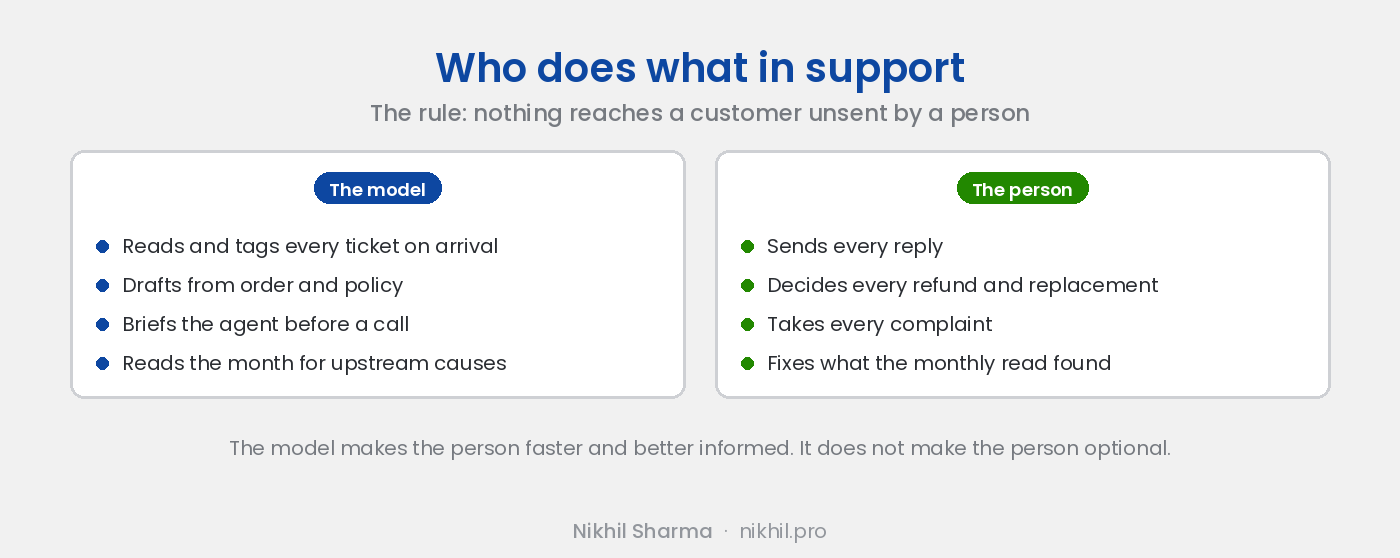
Refunds. Replacements. Complaints. A customer who has written three times. Anyone angry. Anything where the right answer depends on judgement about this customer rather than the policy. The AI’s job in all of those is to put the context in front of the person in five seconds, and then get out of the way.
That is not a limitation to work around. It is the design. The systems above make the human faster and better informed; they do not make the human optional, and the stores that try to make the human optional are the ones that end up in the chatbot screenshots.
The rule
Nothing the model writes reaches a customer without a person sending it. One sentence, and it decides every build above. It means the chatbot on the storefront answers policy questions and hands off at the first mention of an order. It means drafts are drafts. It means the monthly read produces a list for a person, not a change the model makes.
Keep that rule and AI in support is the best return in the business, because support is where the repetitive reading lives. Break it and the first mistake is public.
The systems here are four of the six in AI workflows for Shopify, and the honest account of why the invisible ones beat the customer facing ones is in the most useful AI I built wasn’t customer facing. If you want them built behind your own helpdesk, the automation page covers scope and cost.
Frequently asked questions
Should a Shopify store use an AI chatbot for customer support?
What support tasks can AI do well for an ecommerce store?
What should stay human?
How do I stop the AI making things up to customers?
What does AI support automation cost a Shopify store?
How do I know if it is working?
Get new posts in your inbox
Occasional notes on Shopify, paid ads, and what I learn. No spam.
Thanks — check your inbox to confirm.

Nikhil Sharma
I run data and operations for a DTC brand on Shopify, consult on Meta and Google Ads, and build AI automations for ecommerce teams. I write about what I build and run.