Connect Shopify to Claude or ChatGPT with MCP: What Works Today
The question arrives in my inbox most weeks in the same shape: can I connect my Shopify store to Claude, or to ChatGPT, and just ask it things. Yes, with a catch that most of the guides skip. Shopify’s official servers are built for the people shopping at your store and the people coding for it. The one you are picking up the laptop for, the one that reads your orders, is not official, and the honest post says so before the setup instructions.
The three official servers
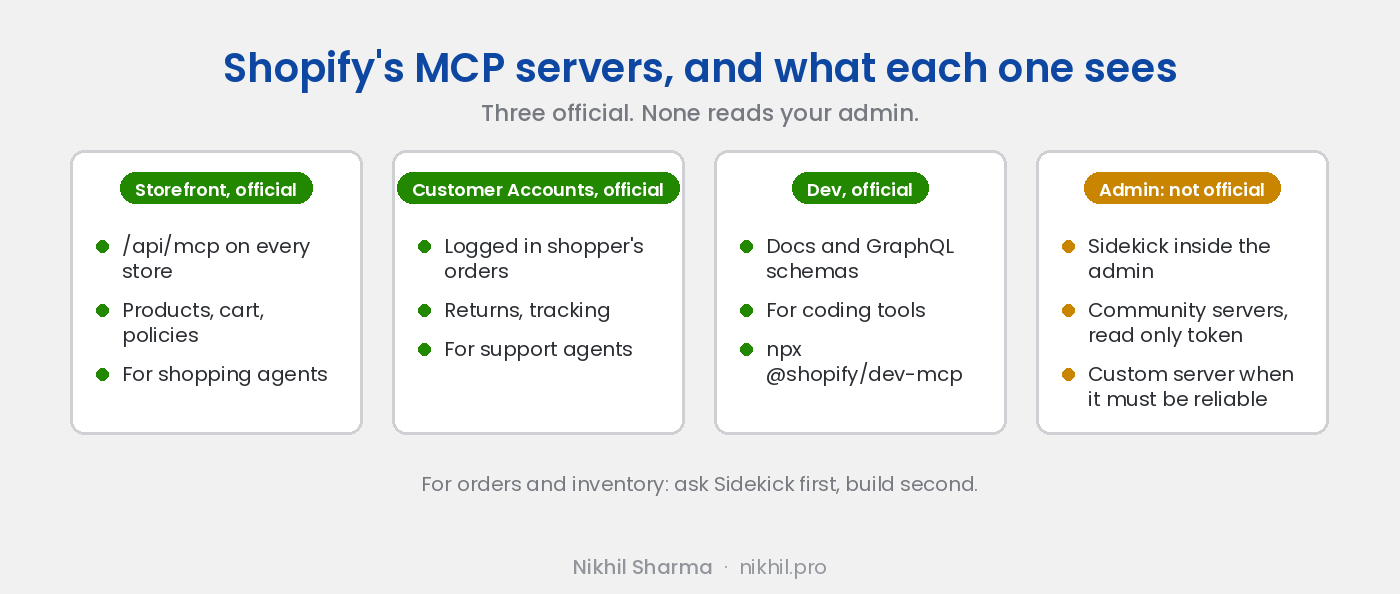
Storefront MCP. Every Shopify store already serves it at https://yourstore.myshopify.com/api/mcp. No app, no setup. It exposes what a shopper can see: product search, collections, cart operations, shipping and returns policies, and the start of a checkout. It exists so that AI shopping agents can buy from you without scraping, and it is the plumbing behind the agentic commerce and llms.txt rollout I wrote up in May. For an owner, the job is to keep it healthy: clean titles, correct availability, policies that say what you mean. Listing products on ChatGPT covers that side.
Customer Accounts MCP. The same idea for a logged in customer: their orders, tracking, returns. Authentication runs through Shopify’s customer account flow. Useful if you are building a support agent that acts on behalf of a shopper. Not useful for asking about your business.
Dev MCP. npx -y @shopify/dev-mcp@latest gives a coding assistant Shopify’s documentation and GraphQL schemas, so Claude Code or Cursor stops inventing API fields. Shopify shipped it in the Winter ‘26 edition and open sourced the AI Toolkit around it in April 2026. If anyone on your team touches theme code, this is worth five minutes. If nobody does, skip it.
What you actually wanted: the admin
Orders, inventory, customers, refunds, the numbers. Three routes, in the order I would try them.
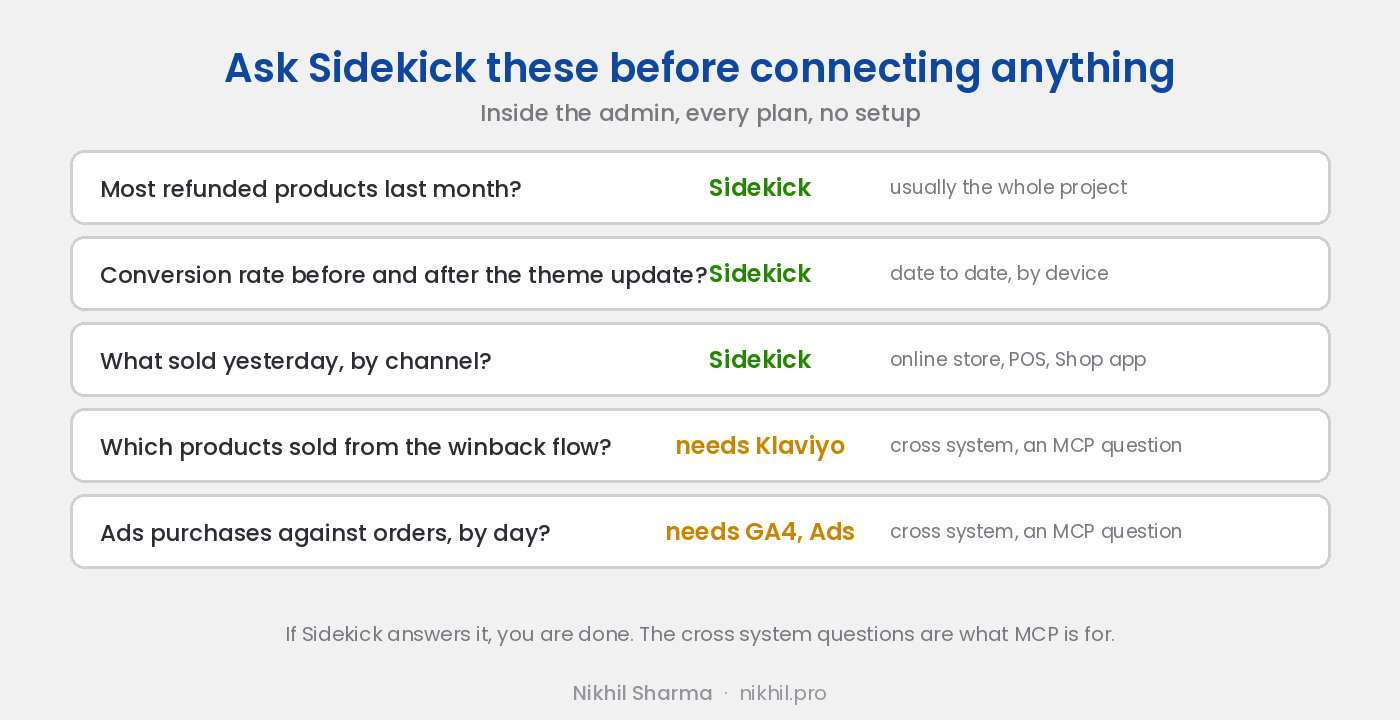
Sidekick, first. It is inside the admin on every plan and it already answers the questions people imagine asking Claude: which products had the most refunds last month, how did conversion rate move after the theme update, which code was used most. Before connecting anything, open Sidekick and ask it the three questions you most want answered. For a lot of stores that is the end of the project, and the analytics walkthrough shows where each number lives when you want to see it without asking.
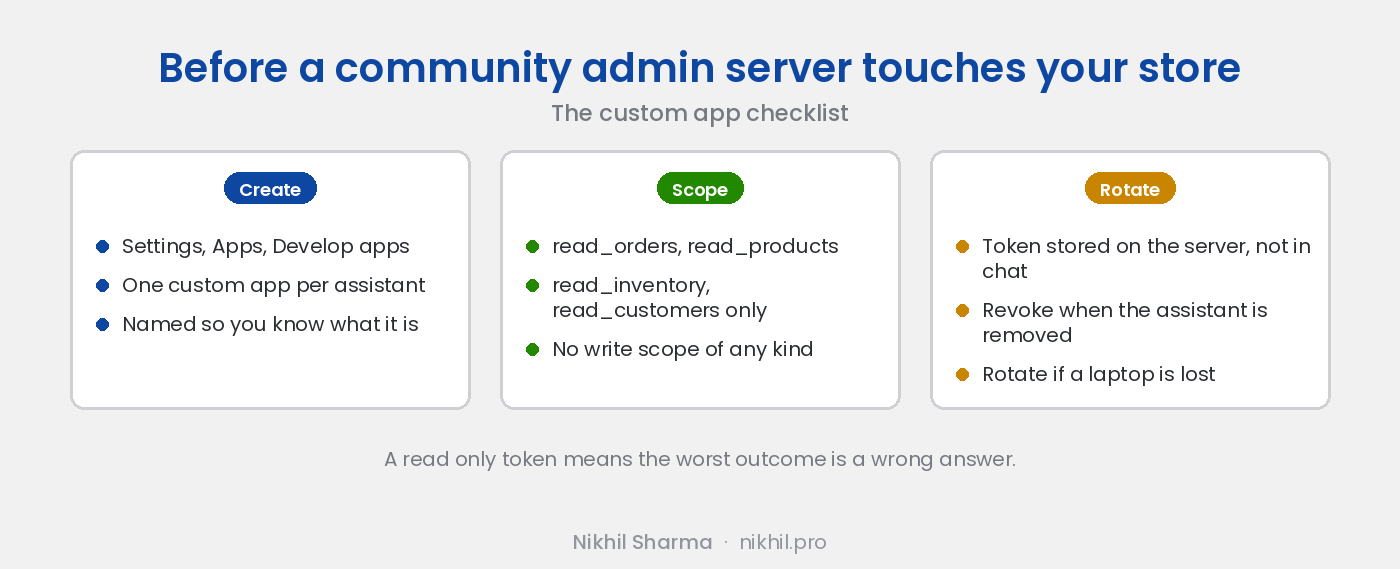
A community Admin MCP, second. Several exist on GitHub. They run locally, take a custom app access token from your store, and expose orders, products, customers and inventory to Claude Desktop or Cursor. They work. Two cautions: they are maintained by individuals and can break when Shopify’s API version rolls, and most of them ship with write tools enabled. If you use one, create the custom app with read scopes only, and nothing else.
A custom server, when it has to be reliable. For a store that wants the owner, the ops lead and the support team all asking the admin questions every day, I build a small read only MCP server on the Admin GraphQL API, scoped to the queries the team actually asks, with the token on a server rather than a laptop. It is the same thing I did for a point of sale that had no official server at all, and it took a weekend to a working version. The write up covers what the owner asks it and what to be careful about.
Connecting the official ones
For the Storefront server in Claude Desktop, add a remote MCP server with the URL https://yourstore.myshopify.com/api/mcp. No token. Ask it “what do you sell under $50” and you are seeing your store as an agent sees it, which is a useful exercise in itself.
For the Dev MCP in Claude Code: claude mcp add shopify-dev -- npx -y @shopify/dev-mcp@latest. Then ask it to write a GraphQL query for orders with a particular tag and watch it get the field names right.
Both of these are the same shape as Google’s servers for Analytics and Ads, and if those are already connected, the interesting questions are the ones that cross systems: which products sold yesterday, and which campaigns sent the traffic.
What I would do
Ask Sidekick first. Connect the Storefront server once to see your store through an agent’s eyes and fix what looks wrong. Skip the community admin servers unless you are comfortable creating a read only token and rotating it. If the team would use a real one every day, that is a build I do, and the plain language version of what an MCP server is, for the owner who has to approve it, is what is an MCP server, for store owners.
If Shopify ships an official admin server after this is published, this page will say so at the top.
Frequently asked questions
Does Shopify have an official MCP server?
Can I ask Claude about my Shopify orders and inventory?
What is the Storefront MCP endpoint for?
Is the Dev MCP useful if I am not a developer?
Is it safe to connect an AI to my Shopify admin?
What questions does Sidekick already answer?
Get new posts in your inbox
Occasional notes on Shopify, paid ads, and what I learn. No spam.
Thanks — check your inbox to confirm.

Nikhil Sharma
I run data and operations for a DTC brand on Shopify, consult on Meta and Google Ads, and build AI automations for ecommerce teams. I write about what I build and run.