
Business Calls Showing Spam Likely? Here's How We Fixed It (US Guide)
I woke up one morning to a message: “Hi, our customers are saying our calls are showing up as spam.”
For a business that relies on calling customers, that’s a quiet disaster. If your number shows up as Spam Likely or Scam Likely, people don’t answer, and you never find out how many orders or conversations you lost because of it.
Here’s exactly what was happening, why, and the steps we took to fix it. This guide is US-only, since the carrier and analytics setup is different in other countries.
One honest expectation to set first: there is no magic button that “whitelists” your number everywhere. Carriers assess spam differently, and even Hiya says so directly. What you can do is register your business as a legitimate caller and show your identity, which meaningfully reduces the risk of being mislabeled. Behavior still matters too, more on that at the end.
Why legitimate business calls get marked as spam
First, the thing that surprised me: using a VoIP provider is not the problem. Plenty of legitimate businesses run on VoIP. It’s common and fine on its own.
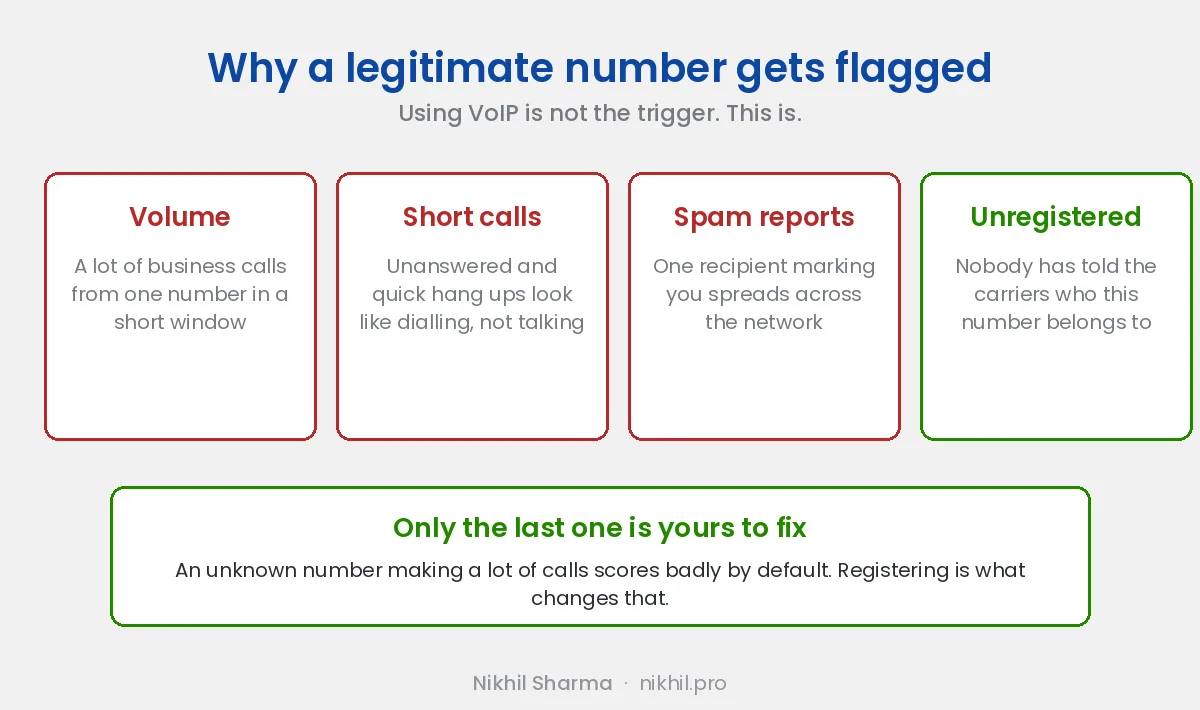
The real trigger is call volume and pattern. When you make a lot of business calls from one number in a short window, the systems that carriers use to detect spam see a pattern that looks like a telemarketer or robocaller, even when every call is legitimate. A few things feed into it:
- High volume of business calls from a single number
- Short call durations (lots of unanswered or quick calls)
- Recipients occasionally marking calls as spam, which spreads across the network
- Your number not being registered anywhere as a known, legitimate business
That last point is the fixable one. Until you register, the carriers have no idea who you are, and an unknown number making a lot of calls scores badly by default. The fix is to establish an identity and a reputation, in the places that actually feed the phones people use.
How spam labeling actually works (the short version)
In the US, the spam label a customer sees comes from analytics providers that carriers rely on. It’s worth knowing who’s who, because it explains why you need more than one fix:
- Hiya is a major analytics partner for AT&T, powering caller identification in ActiveArmor, and it’s also built into Samsung’s Smart Call on every Samsung since the S7
- Verizon relies heavily on TNS for caller reputation and analytics
- T-Mobile uses First Orion as a key caller ID and analytics partner
Carriers also run their own internal signals on top of these, and integrations change over time, so treat this as the shape of the system rather than a fixed wiring diagram.
On top of that, Android phones lean heavily on Google’s own caller identity system, while iPhones rely on the carrier’s data, which traces back to those analytics providers.
So there’s no single switch. You have to cover Android/Google and the carrier analytics providers separately. That’s exactly the two-part fix we used.
What about STIR/SHAKEN?
This is the part that confuses almost everyone, and it’s worth getting straight before you spend money on the wrong fix.
STIR/SHAKEN is the FCC-mandated framework that verifies a calling number hasn’t been spoofed as it travels through the phone network. Your originating carrier cryptographically signs the call with an attestation level of A, B, or C, and the receiving carrier validates that signature.
What it does not do is tell anyone whether your business is trustworthy.
- STIR/SHAKEN proves the call really is coming from your number.
- Hiya, TNS, First Orion, and Google decide whether that number has a good reputation.
Those are two separate systems, and this is why businesses get blindsided: a call signed at full A-level attestation can still get labeled Spam Likely if the number’s reputation is poor. Attestation is a positive signal that analytics providers take as one input among many, not an override.
You need both. Ask your VoIP provider which attestation level your outbound calls are signed at (you want A), and then do the reputation work below.
Fix Part 1: Google Business Profile (covers Android)
The first thing we did was claim and verify our number on Google Business Profile (formerly Google My Business).
Verifying your number on your Business Profile helps Android associate a business identity with that number, so your business name can appear instead of a bare unknown number. To be precise about what this does: it doesn’t override spam detection on its own, but it strengthens your caller identity and improves how your calls appear on Android devices. For the large share of your customers on Android, that’s worth having.
How to do it:
- Go to business.google.com and sign in with the Google account you want to own the listing.
- Create your Business Profile (or claim it if it already exists when you search your business name).
- Add your business details, and crucially, add the exact phone number you make business calls from.
- Verify the business. Google will ask you to verify by phone, text, email, or (for some businesses) video or postcard. Complete whichever method they offer you.
- Once verified, your business name and info become associated with that number in Google’s system.
This is free, and it’s the highest-leverage first step because so many customers are on Android. But it does not help iPhone users, whose phones don’t use Google’s caller data. That’s what Part 2 is for.
Fix Part 2: Register on Free Caller Registry (covers iPhone and all major carriers)
For iPhone users and carrier-level labeling, you need to be registered with the analytics providers themselves. We started with Hiya, but here’s the thing I wish I’d known on day one:
Use freecallerregistry.com instead of registering with each provider separately.
Free Caller Registry is run jointly by Hiya, TNS, and First Orion, the three analytics providers behind the major US carriers. One form submits to all three at once. It’s completely free, and it’s the single most efficient step in this whole process:
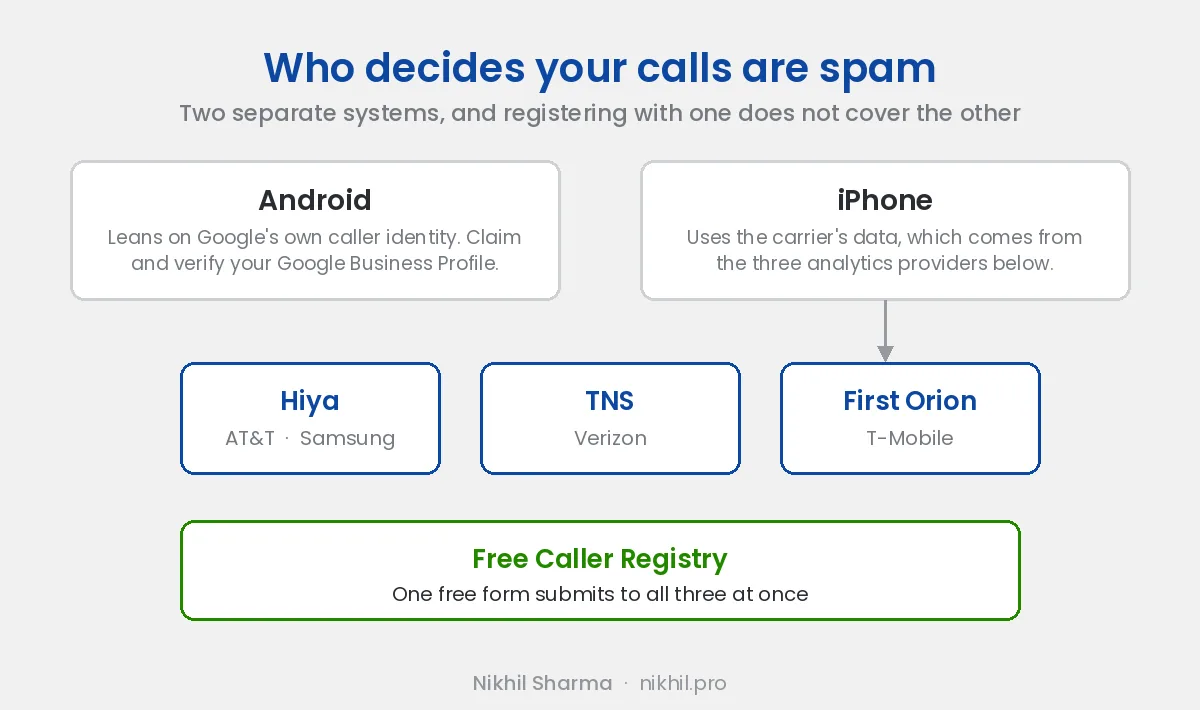
If you only register with Hiya, you’ve covered AT&T and Samsung devices but left Verizon and T-Mobile customers still seeing “Spam Likely.” That’s a huge chunk of your customer base. One form at freecallerregistry.com covers all three.
What registration actually does: it tells the analytics providers and carriers “this is a known, legitimate business,” which reduces the odds of a wrong label. It’s not a magic whitelist, but it’s the foundation everything else sits on.
How to register:
- Go to freecallerregistry.com.
- Enter your business details and the phone numbers you make business calls from. Add every business number, not just the flagged one, or the problem follows you to the next number.
- Verify your business email, it must be on your own domain (a Gmail address will slow you down or get rejected).
- Provide your DUNS number if you have one. It’s technically optional but can significantly speed up verification (see the DUNS steps below).
- Submit. Your details get passed to Hiya, TNS, and First Orion together.
Then set up a Hiya account separately. Free Caller Registry handles the registration, but a free Hiya Connect account is still worth creating on top, because it gives you something the registry alone doesn’t: a console where you can see your caller reputation and current spam status, manage numbers yourself, and optionally upgrade to branded calling. Hiya’s vetting typically takes about a day, sometimes a few business days.
What to expect after you submit
One form goes to three providers, but they don’t move at the same speed, and they confirm in different ways. Here’s what actually landed for us.
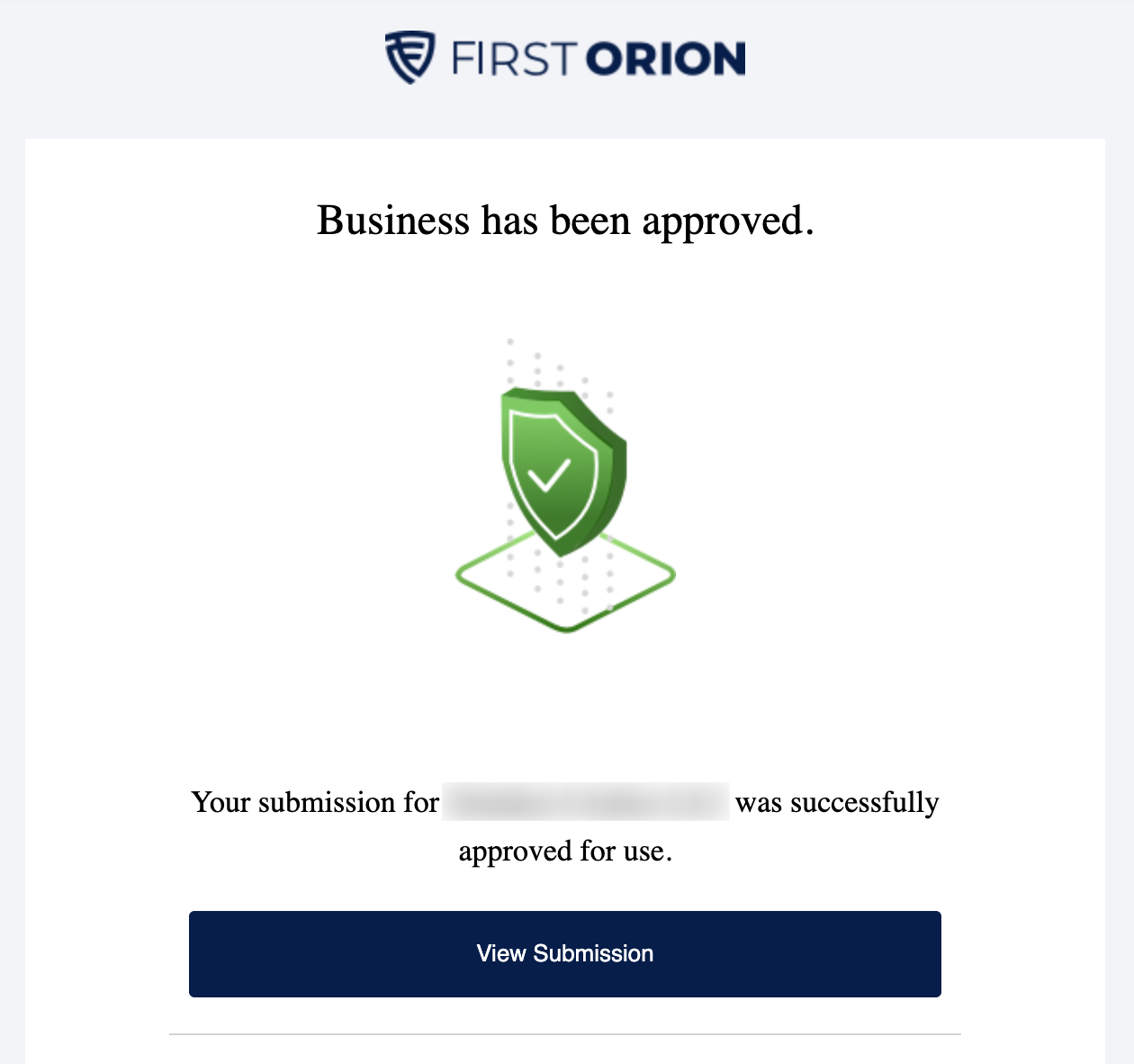
First Orion (T-Mobile) came back fastest. It was the quickest approval of the three by a clear margin, a straightforward “business has been approved” email while the others were still processing.
First Orion also gives you a portal where you can see each registered number, the call purpose you assigned it, and its approval status. This is the clearest confirmation you’ll get that every number went through, not just the one that was flagged.
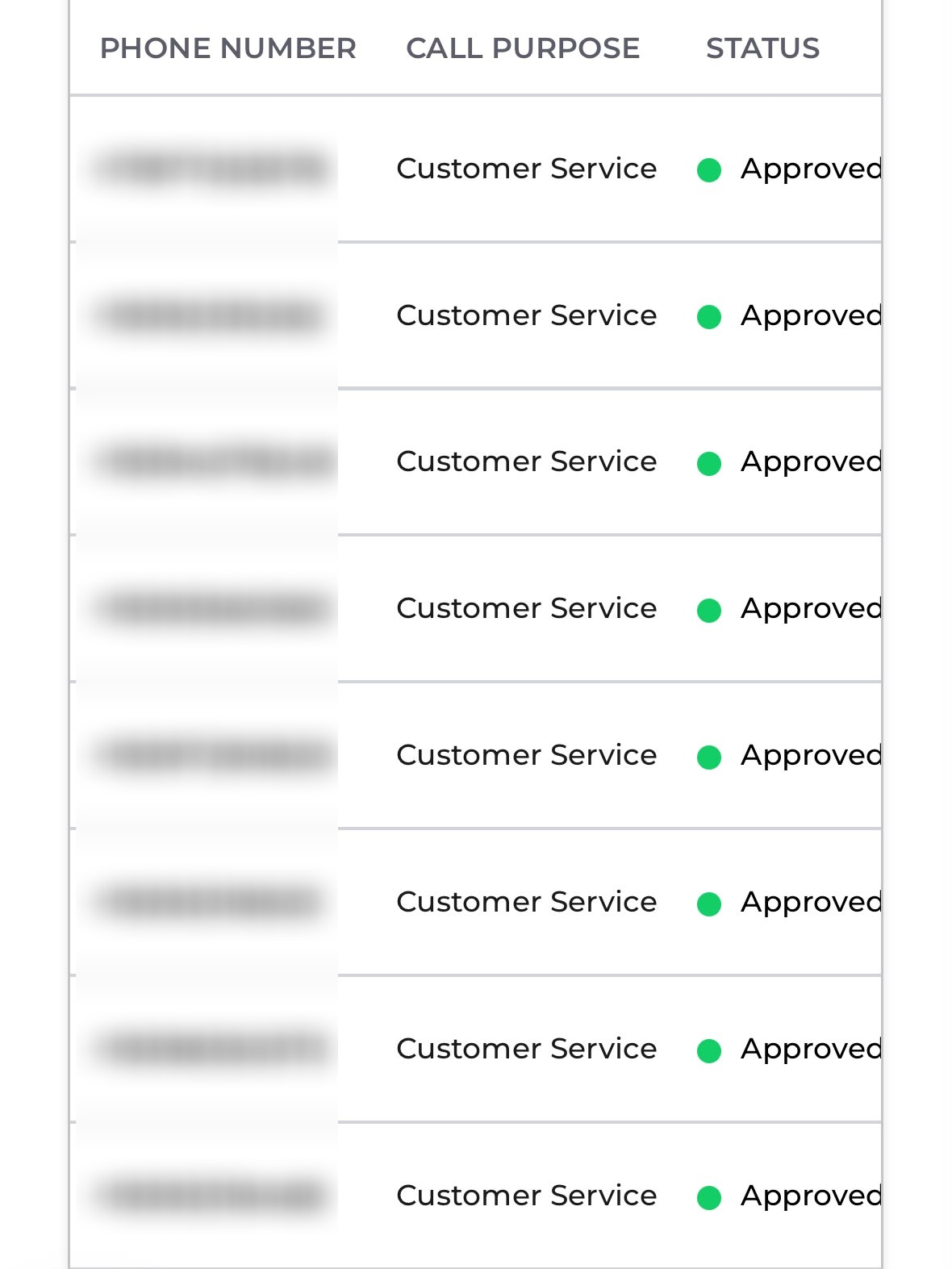
That view is a good illustration of two things from earlier in this guide: every business number is registered, not just the flagged one, and the call purpose is set consistently across all of them.
TNS (Verizon) confirms by email once your numbers are registered. Their confirmation is worth reading rather than deleting, because it spells out the limits of registration more honestly than most vendors do, and it includes specific best practices straight from the provider.
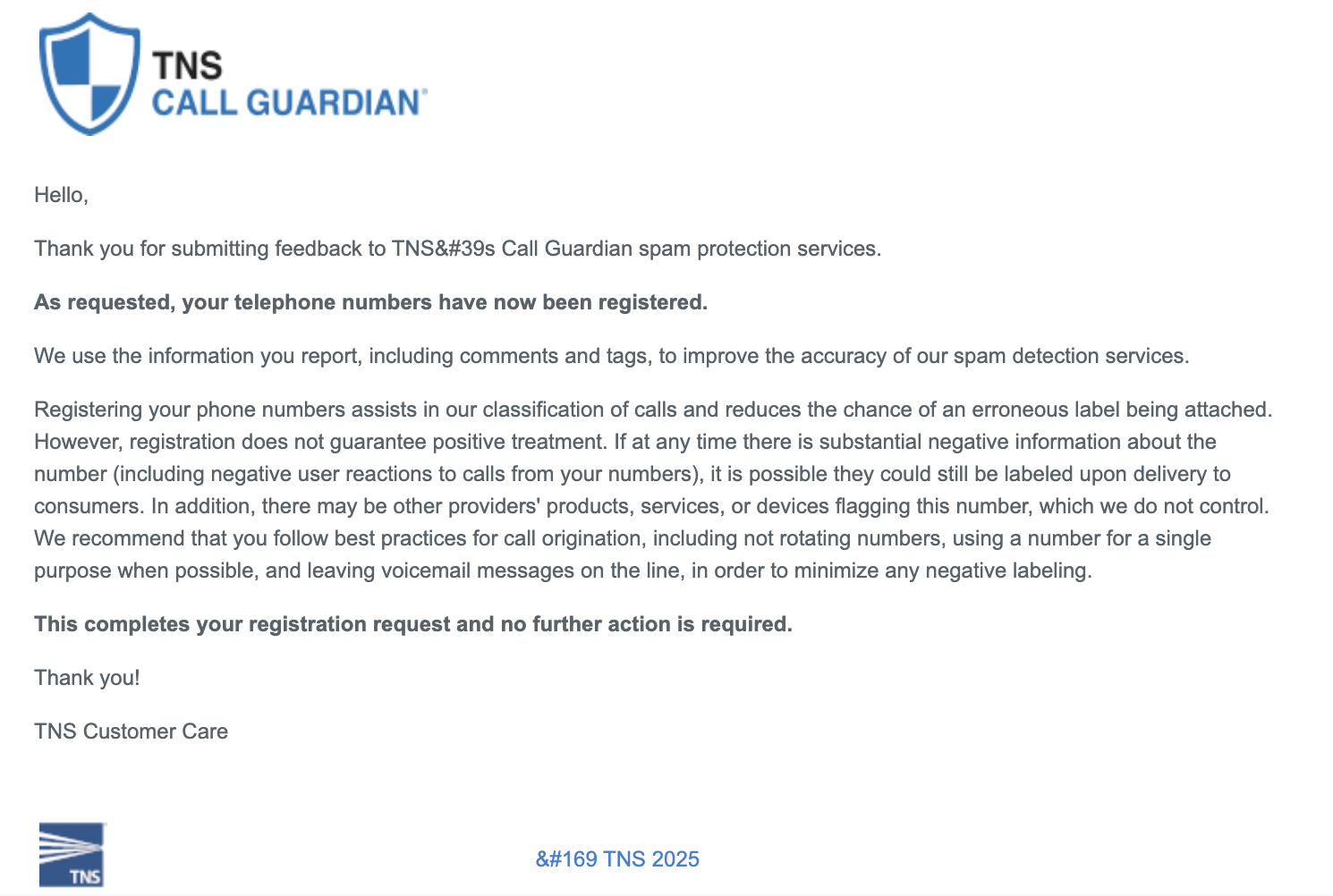
Three things TNS explicitly recommends in that email, which are worth treating as rules:
- Don’t rotate numbers. Cycling through numbers to escape a label is exactly the pattern spam detection is built to catch.
- Use a number for a single purpose where you can, rather than mixing support, sales, and notifications on one line.
- Leave voicemail messages on the line. Calls that never leave a message look worse than calls that do.
They’re also blunt that registration reduces the chance of an erroneous label but doesn’t guarantee positive treatment, and that other providers’ products and devices may still flag your number independently. That matches what I said at the top: this is risk reduction, not a switch.
Hiya (AT&T and Samsung) is where you monitor reputation over time. This is the payoff for creating that separate Hiya Connect account. Rather than a one-off confirmation, you get an ongoing view of your caller reputation and current spam status, which is what you’ll want to check in the weeks after registering to confirm the labels have actually cleared.
What to actually put in the registration form
The Free Caller Registry form asks for a few things that trip people up. Here’s how to fill them in:
Business contact details. Use a real person’s name, a working business phone number, and a business email on your own domain. The email gets verified, so a Gmail address will slow you down or get rejected. The contact phone number field is required, so don’t skip it.
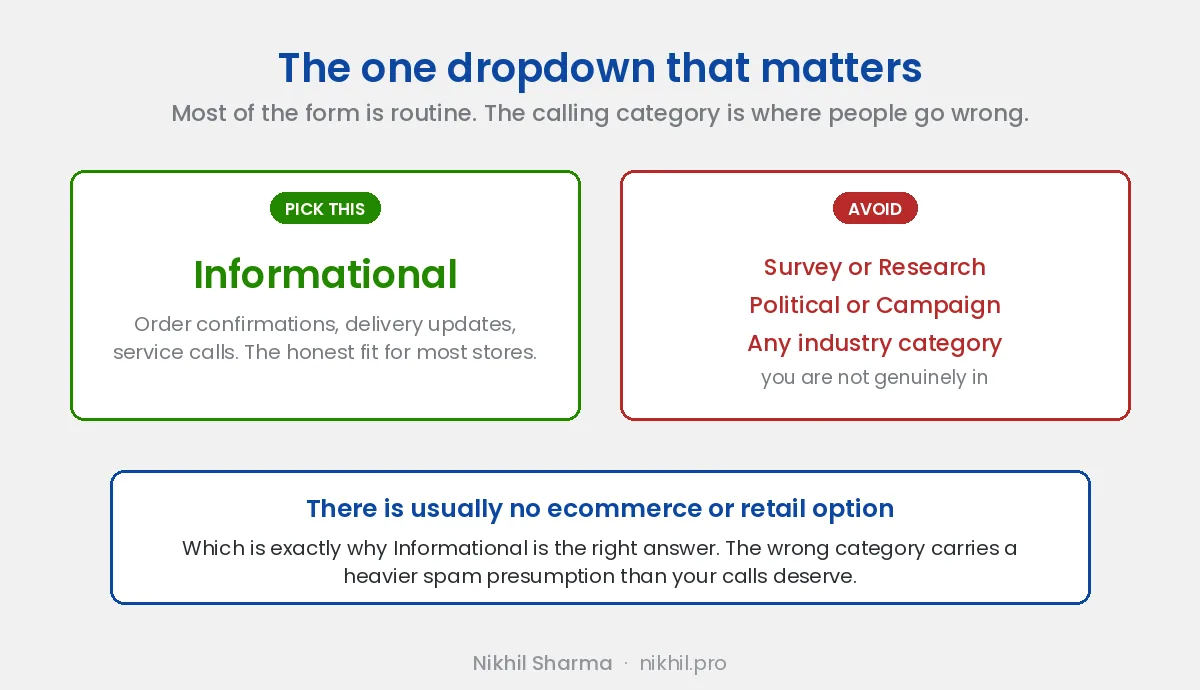
Calling category. This is the one that matters most, and it’s a dropdown with options like Attorney/Law, Financial Services, First Responder, Government, Health/Hospital, Informational, Pharmacy/Medical Supply, Political/Campaign, Real Estate, School/College, and Survey/Research.
For a typical ecommerce or DTC business, the right answer is almost always Informational. Your business calls are order confirmations, delivery updates, and customer support follow-ups to people who are already your customers. That’s informational contact, not solicitation.
A few things to avoid:
- Don’t pick an industry-specific category (Attorney, Health, Real Estate, etc.) unless you’re genuinely in that industry. The category should describe your business, not aspire to a friendlier label.
- Actively avoid Survey/Research and Political/Campaign unless that’s literally what you do. Those categories carry higher spam scrutiny, so filing yourself under one can increase your labeling risk rather than reduce it.
- There’s usually no “ecommerce” or “retail” option, which is why Informational is the honest best fit for most stores.
Call volume. You’ll be asked roughly how many business calls you make. Answer honestly. Understating it doesn’t help you, and the whole point of registration is that carriers understand your legitimate volume pattern instead of guessing.
Register every number. If you make business calls from more than one number, add them all. Registering just the currently-flagged number means the problem simply follows you to the next one.
Branded calling, CNAM, and Rich Call Data
Once you’ve fixed the labeling problem, the next question is usually “can I make my brand name and logo show up on the call?” That’s a different set of technologies, and the terms get used interchangeably when they shouldn’t be.
CNAM (Caller Name) is the legacy system. It displays a short text name, typically capped around 15 characters, pulled from carrier databases. There’s no real vetting behind it, display is inconsistent across carriers, and it’s showing its age.
Branded calling (also called Branded Caller ID, or BCID) is the modern version. Your provider authenticates the call with STIR/SHAKEN and attaches Rich Call Data (RCD), the payload carrying your business name, logo, and reason for calling. The receiving carrier validates the cryptographic signature before displaying it, so unlike CNAM it can’t be spoofed. It currently works on supported mobile devices, whereas CNAM also reaches landlines.
Branded display and spam labeling are separate carrier systems. A call can show your verified brand name and logo and still carry a spam label. Branding improves recognition. It does not repair a damaged number reputation, which is why I’d fix labeling first.
So the sequence is: register and clean up reputation first, then add branding on top if the answer-rate math justifies the cost.
The DUNS number: the annoying prerequisite
Both the Hiya vetting and general business verification go faster if you have a DUNS number, a unique 9-digit business identifier from Dun & Bradstreet. Hiya’s own developer documentation indicates enterprises generally need one.
The catch: getting a DUNS number used to be a simple free request, and Dun & Bradstreet has made it more involved. Here’s the current path:
- Go to dnb.com and search for your business first, you may already have a DUNS number you didn’t know about (common for registered businesses). Use their D-U-N-S Number Lookup tool.
- If you don’t have one, create an account with Dun & Bradstreet and start the request for a new DUNS number.
- Fill in your legal business details: legal name, physical address, phone, entity type, and who you are relative to the business.
- Submit and wait. The free route can take up to around 30 business days. Dun & Bradstreet will offer a paid expedited option that turns it around in a few business days, if you don’t want to wait.
- Once you have the number, keep it somewhere safe, you’ll reuse it for Hiya and plenty of other business verifications.
Tip: start the DUNS process first, because it’s the slowest step. You can begin your Google Business Profile and Hiya account in parallel while the DUNS request is processing, and add the DUNS number to Hiya once it arrives.
Put together: the order we’d do it in
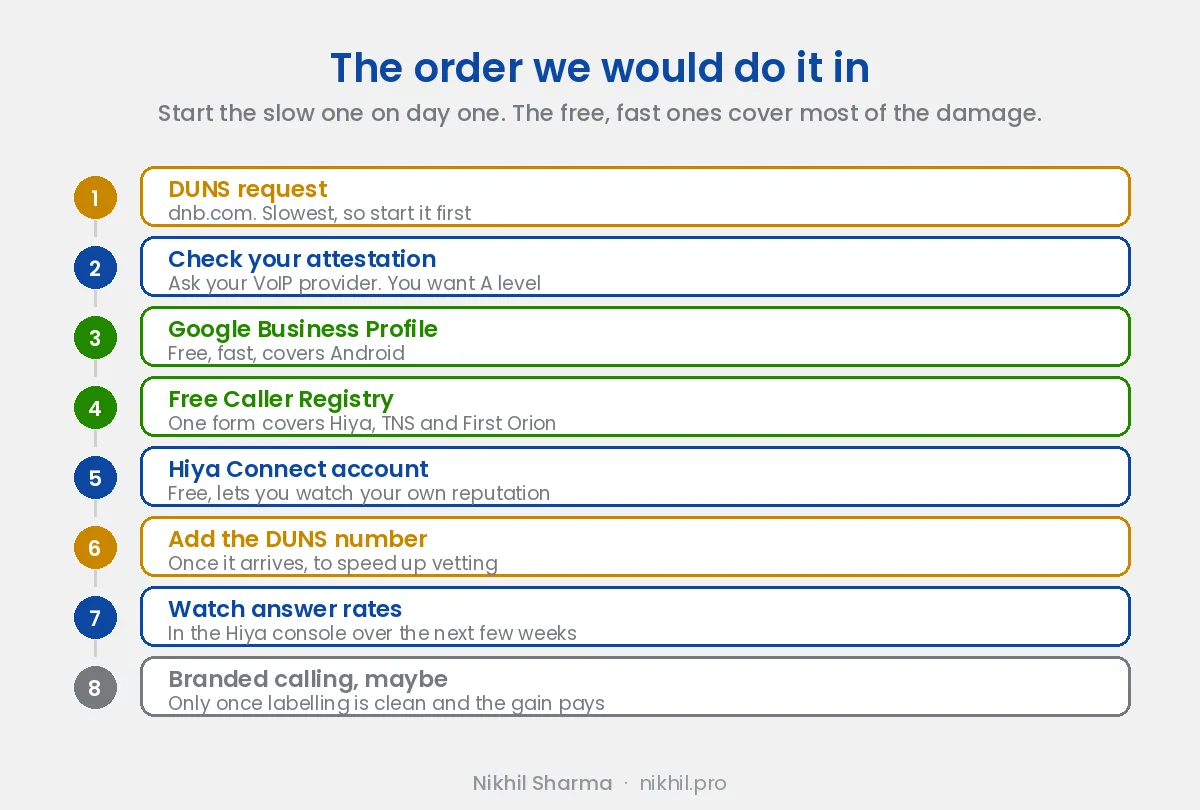
- Start the DUNS request (dnb.com), slowest, so kick it off day one.
- Ask your VoIP provider what attestation level your outbound calls are signed at. You want A-level.
- Claim and verify your Google Business Profile, free, fast, covers Android.
- Register on freecallerregistry.com, one form covers Hiya, TNS, and First Orion, so AT&T, Verizon, and T-Mobile all at once. Add every business number.
- Create a free Hiya Connect account on top, so you can monitor your caller reputation and spam status.
- Add your DUNS number once it comes through, to speed vetting.
- Check your reputation in the Hiya console and monitor answer rates over the next few weeks.
- Consider branded calling only after labeling is clean, if the answer-rate gain justifies the cost.
Still showing Spam Likely?
If you’ve registered everything and your calls are still labeled after several weeks, work through this list before assuming registration failed:
- Verify you registered the exact outbound number. The number your customers see is not always the number configured in your VoIP account. Place a test call to your own cell phone and check what actually displays.
- Make sure your website lists that number publicly. Analytics providers look for corroborating evidence that the number belongs to a real business.
- Confirm your Google Business Profile uses the same number, character for character.
- Check that your DUNS details match your legal business details exactly. Mismatched legal names and addresses stall vetting.
- Look at your call pattern, not just your registration. Sudden spikes in outbound volume from one number will get you relabeled no matter what you registered.
- Ask your VoIP provider to confirm STIR/SHAKEN attestation is enabled and what level you’re signing at. B or C attestation weakens you.
- Open a reputation review with the analytics provider. Hiya, TNS, and First Orion each have remediation paths, and the Hiya console is the easiest place to start.
- Spread volume across numbers if you’re genuinely calling at scale, rather than hammering one line.
Registration isn’t a license to spam
Worth being straight about this, because it’s the part vendors gloss over: registering your numbers reduces the risk of a wrong label, but it won’t save a number that’s genuinely behaving like spam. If recipients keep marking your calls, or you’re calling people who don’t expect it, you’ll get relabeled regardless.
So alongside registration, keep the calling itself clean:
- Only call people who expect to hear from you
- Keep call volume per number reasonable
- Don’t rotate numbers to dodge a label. TNS calls this out directly, and it’s the exact behaviour spam detection is designed to catch
- Use a number for a single purpose where you can, rather than mixing support, sales, and notifications on one line
- Leave voicemails. Calls that never leave a message look worse than calls that do
- Make sure the reason for the call is clear fast, so recipients don’t reflexively mark it spam
- Honor do-not-call preferences and the law
Registration proves you’re legitimate. Behavior keeps you that way.
Useful links
- Google Business Profile for Android caller identity
- Free Caller Registry to register with Hiya, TNS, and First Orion in one form
- Hiya Connect for reputation monitoring and branded calling
- D-U-N-S Number Lookup to check whether you already have one
- FCC on call authentication and STIR/SHAKEN
I documented this process after resolving the issue for a US direct-to-consumer business whose legitimate customer support calls were being labeled as spam. Carrier policies and vendor processes evolve, so confirm the current steps on each provider’s site, but the overall workflow here reflects how the major US caller reputation systems operate as of mid-2026.
The same support line’s calls are now transcribed and scored automatically, and agents get a pre-call brief before they dial, which is the other half of making outbound calls worth answering.
Frequently asked questions
Is using VoIP why my business calls are marked as spam?
Does STIR/SHAKEN stop my calls being marked Spam Likely?
Does Google Business Profile remove spam labels on iPhone?
What is the difference between CNAM and branded calling?
Do I really need a DUNS number for Hiya?
What calling category should I choose when registering?
Can I whitelist my number across all US carriers at once?
Is Free Caller Registry better than registering with Hiya alone?
Which provider approves fastest?
How long does it take to see results?
Get new posts in your inbox
Occasional notes on Shopify, paid ads, and what I learn. No spam.
Thanks. Check your inbox to confirm.

Nikhil Sharma
I run data and operations for a DTC brand on Shopify, consult on Meta and Google Ads, and build AI automations for ecommerce teams. I write about what I build and run.