What Is an MCP Server? A Plain Explanation for Store Owners
Every AI tool pitch now has the letters MCP in it, and most store owners I talk to have nodded through three of them without being told what the letters do. Here it is in plain terms, with the parts that matter for a decision: which of your tools already have one, what to ask before you let one near your data, and what a custom one costs.
The one sentence version
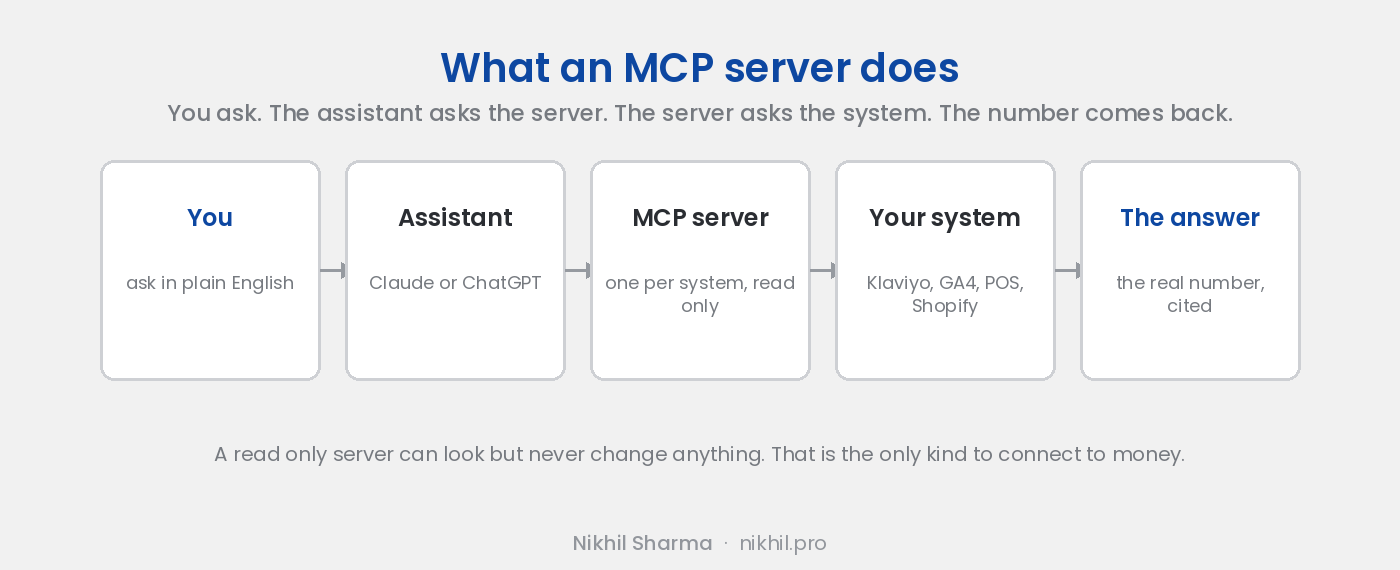
An MCP server is a small program that lets an AI assistant ask one of your systems a question and get the real answer back. MCP stands for Model Context Protocol, and the protocol is simply the agreed way for the assistant and the server to talk, so that any assistant can use any server without a custom integration for each pair.
Without one, Claude or ChatGPT knows nothing about your business except what you paste in. With one, you type “which flow earned the most last month” and the assistant asks your Klaviyo account, and the answer is the number, not a guess.
What it is not
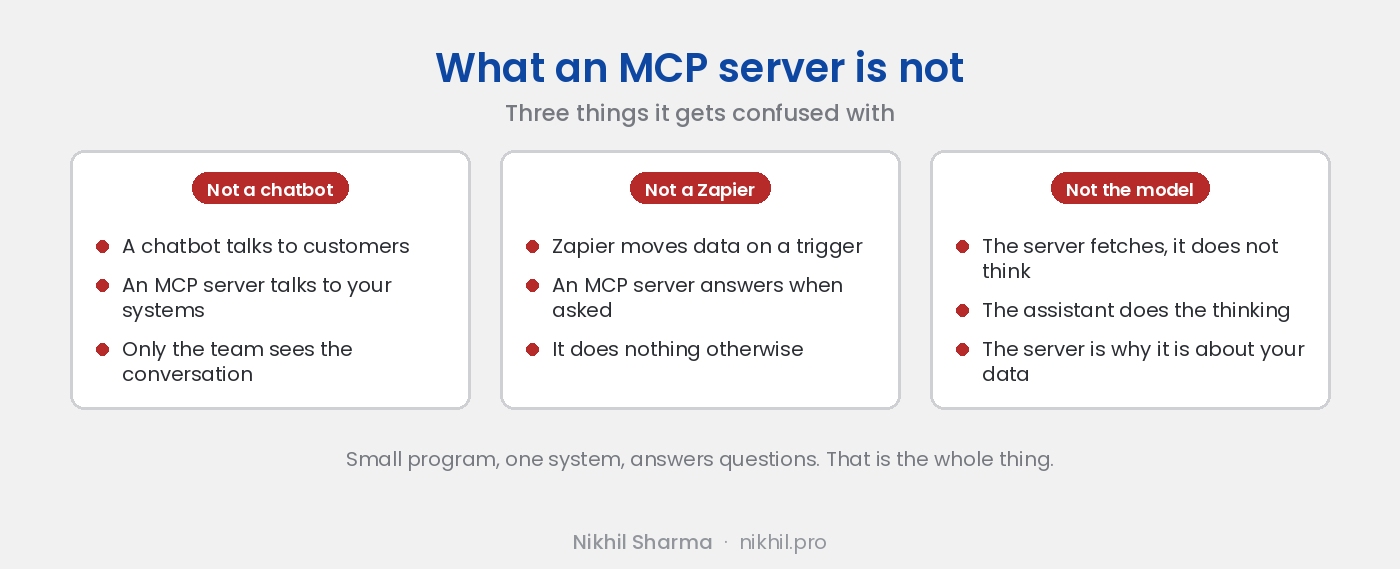
It is not a chatbot on your website. A chatbot talks to customers. An MCP server talks to your systems, on your behalf, inside a conversation only your team sees.
It is not an integration in the Zapier sense. Zapier moves data between systems on a trigger. An MCP server answers a question when asked and does nothing otherwise.
It is not the model. The server does not think. It fetches. The assistant does the thinking, and the server is why the thinking is about your actual data.
Which of your tools already have one
This moves fast, so this is October 2026.
Klaviyo ships an official one, hosted and local, with a read only switch. Setup takes five minutes.
Google ships official servers for Google Analytics and Google Ads. The Analytics one is fifteen minutes; the Ads one waits on a developer token approval.
Shopify ships three, and none of them reads your admin. The storefront server is for shopping agents, the customer accounts server for logged in shoppers, the developer server for coding tools. For orders and inventory, Sidekick inside the admin is the answer today, and a custom read only server is the answer when the whole team needs it.
Most helpdesks and ad platforms have either an official server or a maintained community one. The usual gaps are the point of sale, the warehouse system and anything your team built. Those get built. Here is one.
What to ask before connecting one
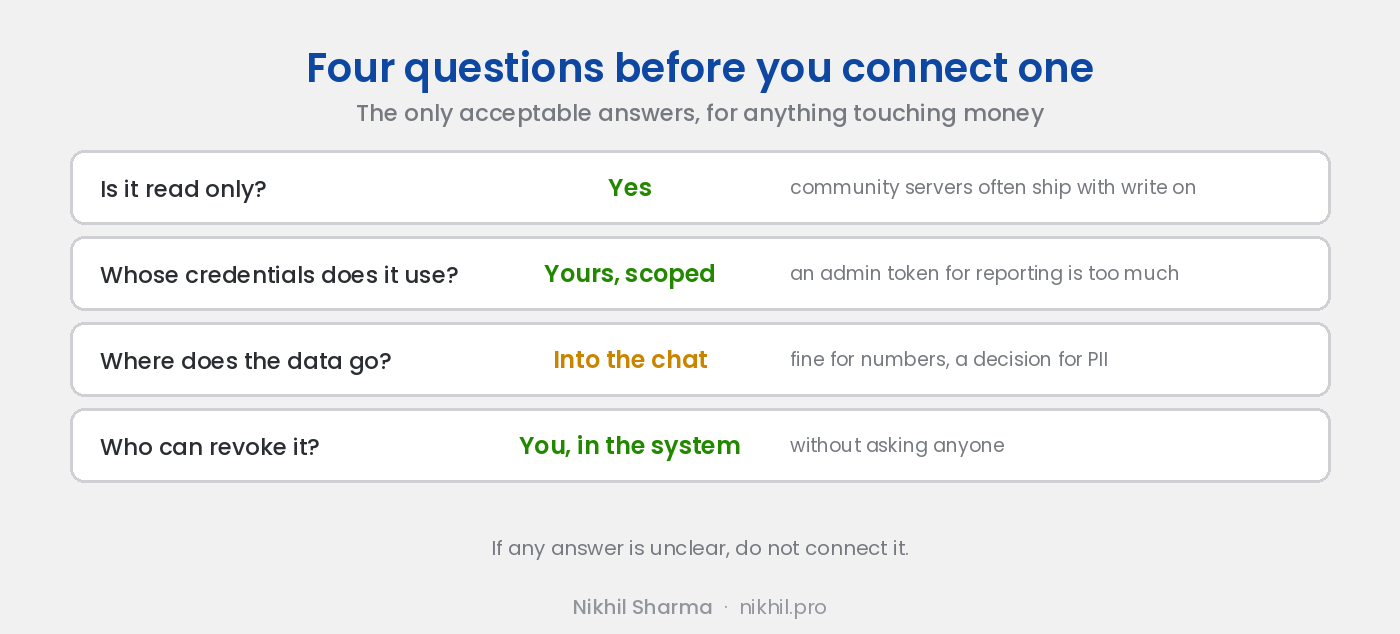
Is it read only? The only acceptable answer for anything touching orders, customers or money is yes. Official servers usually offer a read only mode or let you authorise with a limited role. Community servers often ship with write tools on by default. Ask, and if the answer is unclear, do not connect it.
Whose credentials does it use? Yours, scoped as narrowly as the question needs. A server that wants an admin level token to answer reporting questions is asking for more than the job needs.
Where does the data go? Whatever the server returns is read by the model and becomes part of the conversation. For reporting numbers that is fine. For customer names, emails and addresses, decide deliberately, the same way you would about putting them in an email to an outside vendor.
Who can revoke it? You should be able to cut access from inside the system, Klaviyo’s connected apps, Google’s account permissions, your own token list, without asking anyone.
What a custom one costs
A read only server over one system is a few days of developer time and a few dollars a month to run. The point of sale server I built took a weekend to a working version. The month after was the real cost: the owner asked it questions, it was sometimes wrong, and each wrong answer became a fix until the answers could be trusted. That is the honest timeline for any of these, official or custom. The model usage at a store’s volume is tens of dollars a month.
Where it earns its keep
Not in the demo. In the Monday morning question that used to wait for someone to pull a report, asked by the owner directly and answered in a sentence. In the support lead checking whether the abandoned checkout flow is actually firing without opening Klaviyo. In the question that crosses two systems, where the Google Ads number and the GA4 number disagree, answered in one place with both open.
That is the whole case for it. If your team has a question it asks every week and waits on, there is probably a server for the system it lives in, and if there is not, one can be built. The wider set of systems I run on this principle is in AI workflows for Shopify.
Frequently asked questions
What is an MCP server, in one sentence?
Is an MCP server the same as a chatbot?
Which of my tools already have one?
Is it safe?
Do I need a developer?
What does a custom MCP server cost?
Get new posts in your inbox
Occasional notes on Shopify, paid ads, and what I learn. No spam.
Thanks — check your inbox to confirm.

Nikhil Sharma
I run data and operations for a DTC brand on Shopify, consult on Meta and Google Ads, and build AI automations for ecommerce teams. I write about what I build and run.