Shopify Ads Running but No Sales? 8 Things to Fix First
You’re running Meta and Google Ads. You’ve installed your pixels, launched your campaigns, and even tested new creatives. But sales aren’t scaling. You’re stuck around the same numbers every month, wondering why your Shopify store isn’t growing despite all your paid traffic.
Let’s fix that.
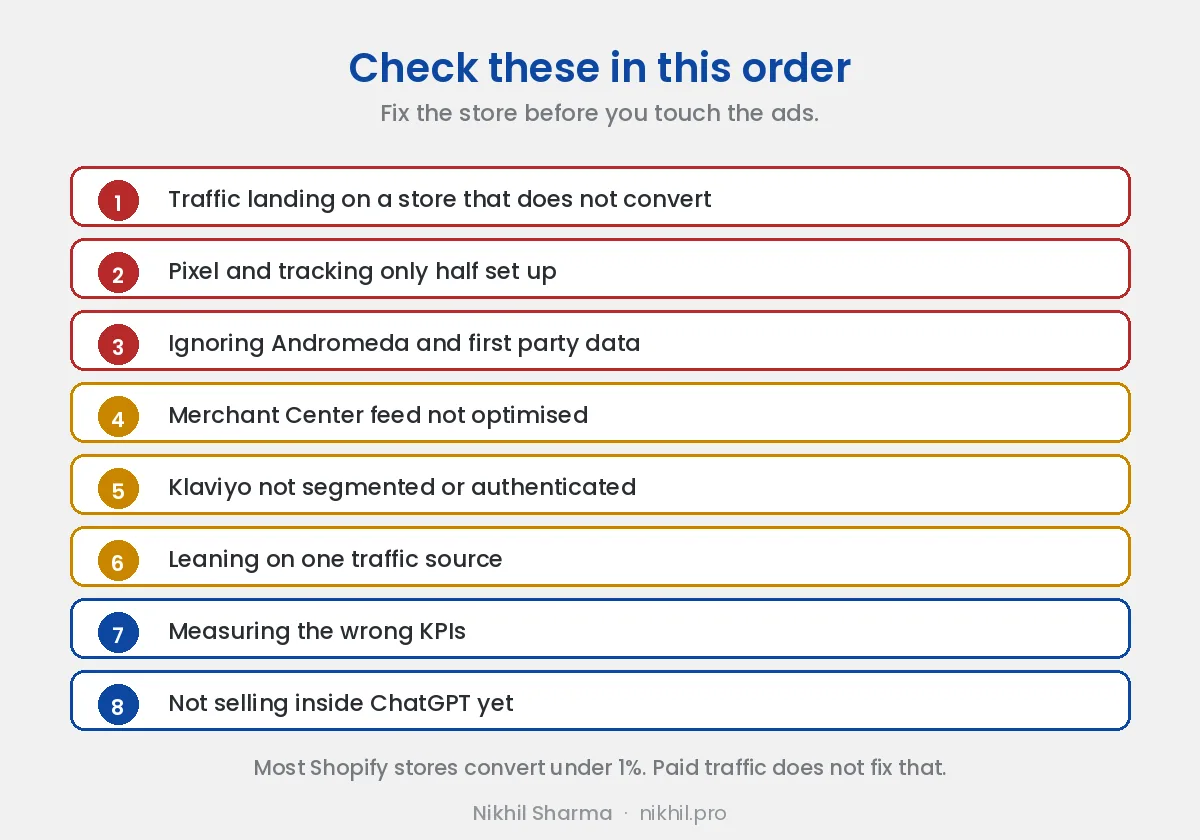
1. You’re sending paid traffic to a store that doesn’t convert
Most Shopify stores have conversion rates below 1%. That means even the best ads won’t save you. Before scaling spend, you need to fix what happens after the click.
Start with a conversion audit. Review your page load speed, mobile checkout flow, and image compression. A lag of even 2 seconds can increase bounce rates dramatically.
Also, analyze your trust elements - testimonials, UGC, social proof, and returns policy. These small pieces of reassurance often make or break your ad ROI.
2. Pixel and tracking setup are incomplete
If your Meta Pixel or Google Tag isn’t firing properly, your campaigns are optimizing for the wrong events. Worse, if your Conversions API (CAPI) setup is misconfigured, Meta Ads won’t be able to attribute sales correctly.
To verify:
-
Go to Meta Events Manager → Diagnostics tab → fix deduplication and signal mismatch errors.
-
Use Google Tag Assistant to verify your purchase events.
-
Cross-check Shopify’s native pixel connection with Server-Side Tracking (CAPI) through Shopify or third-party apps like Stape.
This is critical. Meta’s Andromeda system uses advanced event matching for more accurate attribution - but it depends on high-quality pixel and CAPI signals. Without it, Meta can’t train your ad sets correctly.
If you’re seeing inconsistent ROAS, this is likely the root cause. The six step check, in order, is in Meta not recording add to carts or purchases, and if the whole account dropped on the same day rather than drifting, read is it an outage or is it you first.
3. You’re ignoring Meta Andromeda and first-party data
Meta Andromeda is Meta’s latest AI-driven optimization framework that connects your store’s data, ad performance, and pixel signals to build predictive audiences. It’s designed for a cookieless world - and for brands that integrate with Shopify, Klaviyo, and CAPI directly.
To take advantage:
-
Connect your Shopify store with Meta Commerce Manager.
-
Enable Advanced Matching in Events Manager.
-
Verify your domain and share your product catalog through Commerce Manager.
Once synced, Andromeda can train better lookalikes using first-party and modeled data. It’s the closest thing to a “growth autopilot” Meta has built so far.
4. Google Merchant Center isn’t optimized
If you’re running Google Ads but ignoring Merchant Center, you’re missing out on free and high-intent impressions.
Merchant Center helps your products appear in both paid Shopping Ads using Google Ads and free professional listings - a major advantage for Shopify stores. These listings show up across Google Search, Shopping, and even YouTube organically.
To make the most of it:
-
Sync your Shopify products using the Google & YouTube app.
-
Add high-resolution images and detailed descriptions.
-
Verify your feed status weekly for policy violations or missing GTINs.
The free listings won’t generate the same volume as paid campaigns, but they add consistent organic reach that compounds over time.
5. You’re not segmenting or authenticating Klaviyo
Klaviyo isn’t just for sending emails - it’s your post-purchase profit system. But if your emails are landing in spam, you’re burning money silently.
Ensure:
-
DKIM, SPF, and MX records are configured in your DNS settings. This helps email providers trust your domain.
-
Segment users by behavior, not just time. Create flows for viewed product, added to cart, and post-purchase.
-
Test subject lines using A/B testing - not guesses.
6. You’re relying on one traffic source
If your entire revenue depends on Meta or Google, you’re one account suspension or algorithm change away from zero sales.
Diversify your traffic.
That doesn’t mean “run everywhere” - it means own your mix:
-
Retarget through Meta + Google Display
-
Build your own email and SMS channels
-
Experiment with UGC creators for organic reach
-
Test other paid networks like TikTok or Pinterest depending on niche
You can’t control CPMs, but you can control dependency.
7. Measure the right KPIs
Don’t chase ROAS blindly. Focus on blended return, retention rate, and contribution margin.
Track everything with clarity - here’s a good starting point: KPIs for Shopify Business.
8. Sell Directly in ChatGPT with Instant Checkout
ChatGPT now enables users to purchase products directly within conversations through the Instant Checkout feature. This integration allows shoppers to buy items without leaving the chat interface, streamlining the purchasing process.
How It Works:
-
Seamless Transactions: Users can browse and purchase products directly within ChatGPT, eliminating the need to visit external websites.
-
Organic Discovery: Products are ranked by relevance to user queries, ensuring that your items appear when they match a shopper’s interest.
-
Merchant Control: You retain full control over your systems and customer relationships, including order fulfillment and payment processing.
Benefits for Shopify Merchants:
-
Increased Visibility: Reach a broader audience by having your products featured in ChatGPT conversations.
-
Enhanced Conversion Rates: Simplify the buying process, potentially leading to higher sales.
-
No Upfront Costs: There’s no fee to list your products; you only pay a small fee when a purchase is made, which is refunded if the item is returned.
What To Do Next
Most brands are not failing because their ads are bad - they’re failing because the systems behind them aren’t optimized. Fixing these layers usually leads to compounding growth.
If you want direct help reviewing your setup, you can book a 1:1 paid session with me.
Done with you, on a call
Growth audit call, $199
Google Ads, Meta Ads, Merchant Center and Klaviyo reviewed with your accounts open, and a written list of what to fix in what order.
If it is more than an audit
Ads handled for you
Tracking, account structure, creative and reporting for Shopify brands spending real money. Scoped on a call first.
Frequently asked questions
Why are my Shopify ads running but not getting sales?
How do I know if it is the ads or the store?
Should I pause ads while I fix the store?
How long should I give a campaign before deciding it does not work?
Is Meta Andromeda why my ads stopped working?
Get new posts in your inbox
Occasional notes on Shopify, paid ads, and what I learn. No spam.
Thanks. Check your inbox to confirm.

Nikhil Sharma
I run data and operations for a DTC brand on Shopify, consult on Meta and Google Ads, and build AI automations for ecommerce teams. I write about what I build and run.