ChatGPT Product Listing: How to Get Your Products Listed on ChatGPT (2026)
If you run a Shopify store, ChatGPT is now a shopping channel. Users ask it for product recommendations. It answers with real products. If yours aren’t in there, you don’t exist for that shopper.
Getting listed isn’t complicated. You need three things: an open robots.txt, a clean product feed, and (optionally) approval for ChatGPT Instant Checkout. Everything else is variations on those three.
I’ve done this for my own store and for consulting clients. This is the actual process, in the order I do it.
Why This Matters
ChatGPT is no longer just a chatbot - it’s quickly becoming a product discovery engine for millions of users. By getting your products listed, you gain access to a new, high-intent traffic source that can drive more visibility and sales.
How ChatGPT Shopping Works
ChatGPT surfaces real-time shopping results by partnering with third-party product data providers, including:
These integrations let ChatGPT display product titles, prices, availability, images, and direct purchase links inside search responses they do not require additional support.
How to Get Your Products Listed on ChatGPT
1. Use a Supported Platform
Make sure your store is connected to a supported platform or product syndication network, such as:
- Shopify (with feeds connected to Klarna or Criteo)
- Klarna or Criteo merchant networks
- WooCommerce or BigCommerce
- SAP Commerce
If you’re using Shopify, look into your Klarna or Criteo integrations to confirm that your product feed is active and syndicating properly or check the robots.txt.
2. Optimize Your Product Feed
Since ChatGPT uses real-time data, your product feed must be:
- Accurate (title, image, price, availability)
- Well-written (keyword-rich, clear product descriptions)
- Updated regularly
This ensures the AI presents your listings correctly and persuasively to potential buyers, you can also create your own product feed on Google Sheets and host it automatically
3. Track Performance
While ChatGPT itself doesn’t yet provide detailed analytics, you can monitor:
- Referral traffic via UTM links on your CRM
- Sales spikes after feature updates
- Performance data inside Klarna, Criteo, or Shopify dashboards
4. Make Sure Your Site Is Discoverable by ChatGPT
Before your products can show up in ChatGPT’s shopping results, they need to be discoverable. That starts with making sure your site isn’t blocking OpenAI’s web crawler - OAI-SearchBot.
Think of OAI-SearchBot like Googlebot, but for ChatGPT. It crawls websites to index content for ChatGPT’s search experiences - especially shopping and product results.
If your site is blocking it (even unintentionally), your products won’t be surfaced.
What to do:
- Check your
robots.txtfile (go to yourdomain.com/robots.txt).
Make sure it doesn’t block OAI-SearchBot. If needed, explicitly allow it:
User-agent: OAI-SearchBot

Allow: /- Track traffic.
ChatGPT addsutm_source=chatgpt.comto outbound links. That means you can track referral traffic in Google Analytics or other platforms. - Rest assured:
OAI-SearchBot is only used to power search. It does not crawl your site for training OpenAI’s models.
Letting OAI-SearchBot in is step zero if you want your products to show up where people are actively shopping and searching in ChatGPT.
5. Submit Your Product Feed to ChatGPT
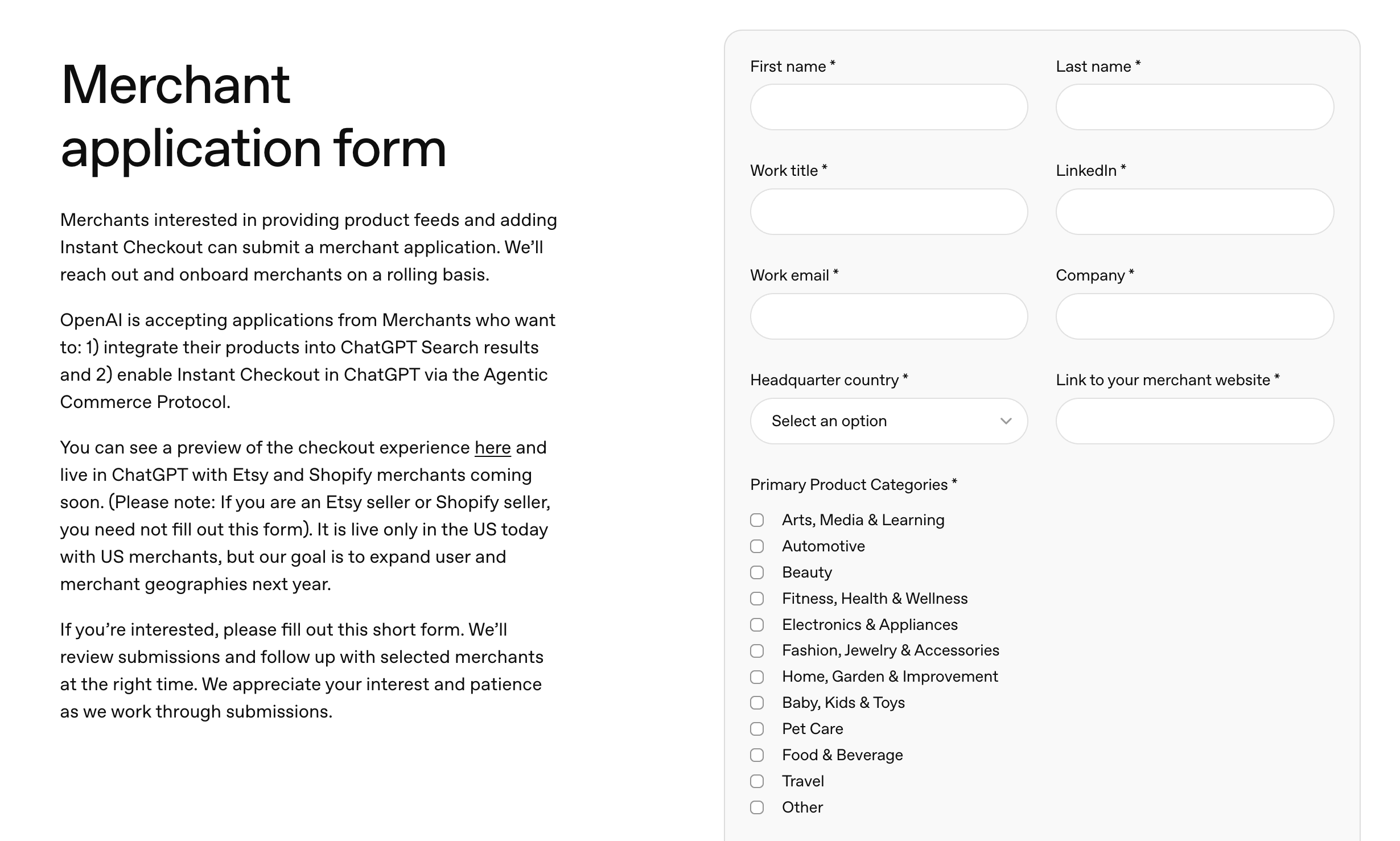
Make sure to have a feed that Shopify accepts, and submit a Merchant application form with ChatGPT along with the business information that you have. You can be a merchant on ChatGPT Instant Checkout by submitting your business detail on this page
Understanding Discovery vs. Instant Checkout
There are two different ways your products can show up in ChatGPT, and it helps to know which one you’re aiming for:
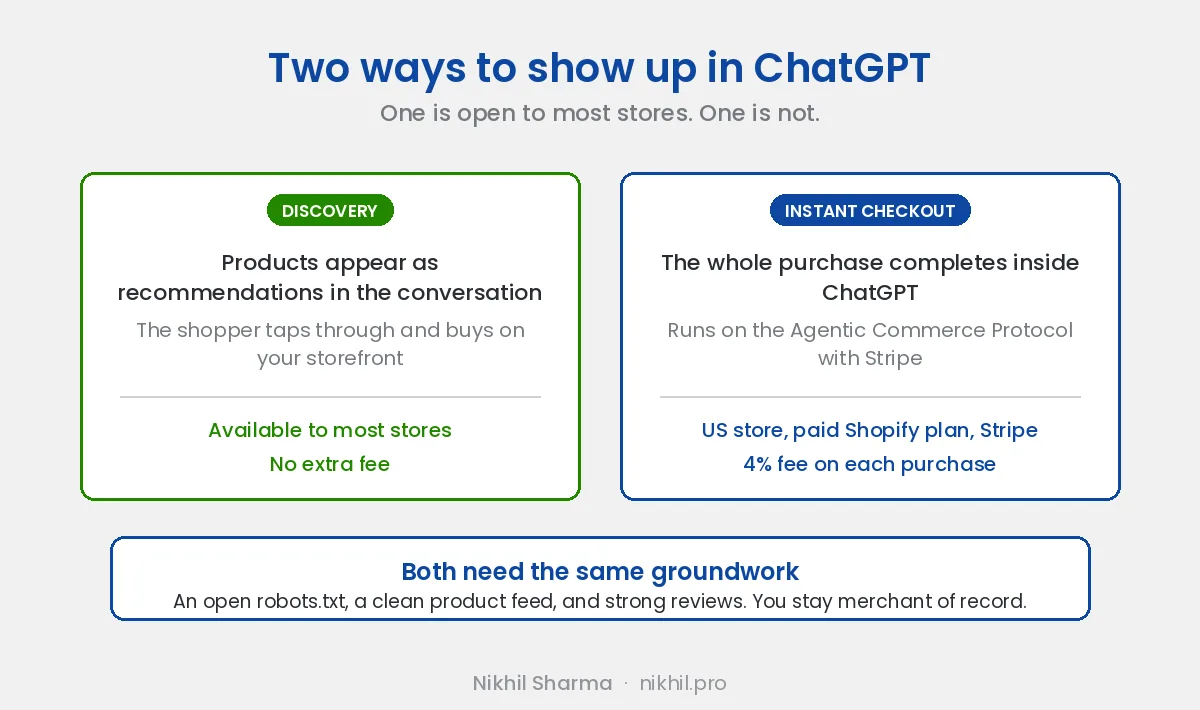
- Product discovery - your products appear as recommendations inside a conversation, and the shopper taps through to buy on your own storefront. This is available to most stores.
- Instant Checkout - the shopper completes the whole purchase inside ChatGPT without leaving the chat. This one is more restricted.
Instant Checkout runs on the Agentic Commerce Protocol (ACP), co-developed by OpenAI and Stripe. Payment flows through Stripe using a Shared Payment Token, so ChatGPT can process the order without ever seeing the buyer’s card details. You stay the merchant of record and keep handling fulfilment and returns through your existing systems.
A realistic note on eligibility: true in-chat checkout is still limited. After the early rollout with Etsy and select brands, OpenAI narrowed the program, and only a small number of Shopify merchants are live with full one-click checkout so far. For most stores today, the winning move is to get discoverable first: an open robots.txt, a clean product feed, and strong reviews, so you’re ready to switch on Instant Checkout when you become eligible.
What It Costs
OpenAI charges merchants a 4% fee on each completed Instant Checkout purchase, and shoppers pay nothing extra. Recommendations themselves are organic, so relevance, not ad spend, decides which products ChatGPT surfaces. That’s a real advantage for smaller brands with well-structured feeds and good reviews.
How to Show Products Reviews on ChatGPT
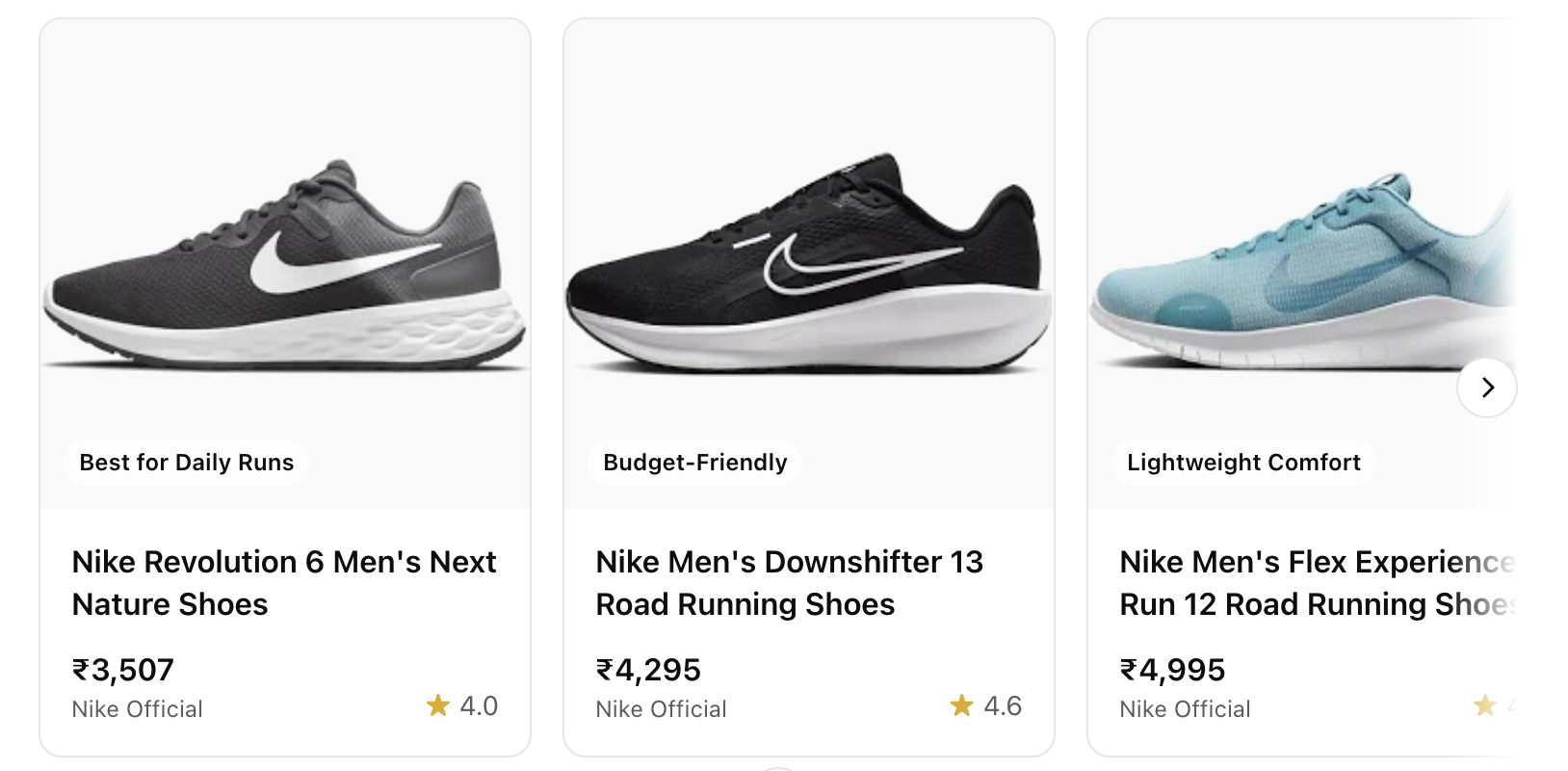
You can use an app like Judge.me to show your product reviews on ChatGPT.
Does ChatGPT support Shopify product feeds?
Yes, ChatGPT supports Shopify Product feeds
ChatGPT asks you to submit a feed (like a product XML or Google Merchant feed) directly to OpenAI and it relies on what’s already publicly available on the web, using OAI-SearchBot to discover and index content.
That’s why having well-structured product pages and an open robots.txt is crucial.
Who Sees Your Products?
This feature is currently available to everyone with browsing enabled (GPT-4-turbo) including ChatGPT Atlas browser. As the rollout continues, more visibility is expected across platforms.
Watch the Video
I have also made a video tutorial of the article
Final Tips
- Keep inventory synced and avoid out-of-stock listings.
- Use high-quality images and SEO-friendly product names.
- Monitor results using Google Analytics and refine your product titles/descriptions based on performance.
Get the Free AI Shopping Checklist
If you want the tactical version of everything in this post, plus the fixes for Perplexity, Google AI Overviews, and Gemini, I put it all in a free PDF checklist.
→ Get the AI Shopping Checklist
Six sections. Actionable in an afternoon. No course, no upsell.
This post is about what ChatGPT can show a shopper. The opposite direction, letting it answer questions about your own sales, is a different build: connecting Clover POS to ChatGPT with an MCP server.
Or Book Your ChatGPT Product Listing Audit
If reading a checklist and implementing it yourself isn’t your thing, I offer a paid consultation where I audit your store’s AI visibility end-to-end.
Done with you, on a call
AI visibility audit for your store
Feed, schema, llms.txt, crawler access and Merchant Center checked end to end, with a written fix list. Price and scope on the booking page.
Prefer to do it yourself
The ChatGPT shopping checklist
The same checks as a worksheet, with the application links and the parts OpenAI's docs leave out.
Shopify now ships part of this by default: an llms.txt file and agentic endpoints on every store, covered in Shopify’s agentic commerce rollout. The protocol fight over who owns the product data underneath is in what Google’s UCP means for Shopify brands.
Frequently asked questions
How do I get my products listed on ChatGPT?
Is listing products on ChatGPT free?
What is the difference between ChatGPT product discovery and Instant Checkout?
How do I submit a product feed to ChatGPT?
Does ChatGPT read Shopify product feeds directly?
Why are my products not showing up in ChatGPT?
Do reviews affect whether ChatGPT recommends a product?
Can a non US Shopify store be listed on ChatGPT?
Get new posts in your inbox
Occasional notes on Shopify, paid ads, and what I learn. No spam.
Thanks. Check your inbox to confirm.

Nikhil Sharma
I run data and operations for a DTC brand on Shopify, consult on Meta and Google Ads, and build AI automations for ecommerce teams. I write about what I build and run.