Facebook (Meta) Ads Not Recording Add-To-Cart or Purchases?
Meta’s delivery changes over the years, Lattice in 2023 and Andromeda after it, each came with a wave of advertisers saying the same thing: the ads are unstable and Events Manager has stopped recording add to carts or purchases. Some of that was Meta. Most of it, when I opened the accounts, was tracking that had been fragile for months and broke when delivery shifted.
The checks below are in the order I run them on a Shopify store. Each one takes a few minutes and most problems are found by the third.
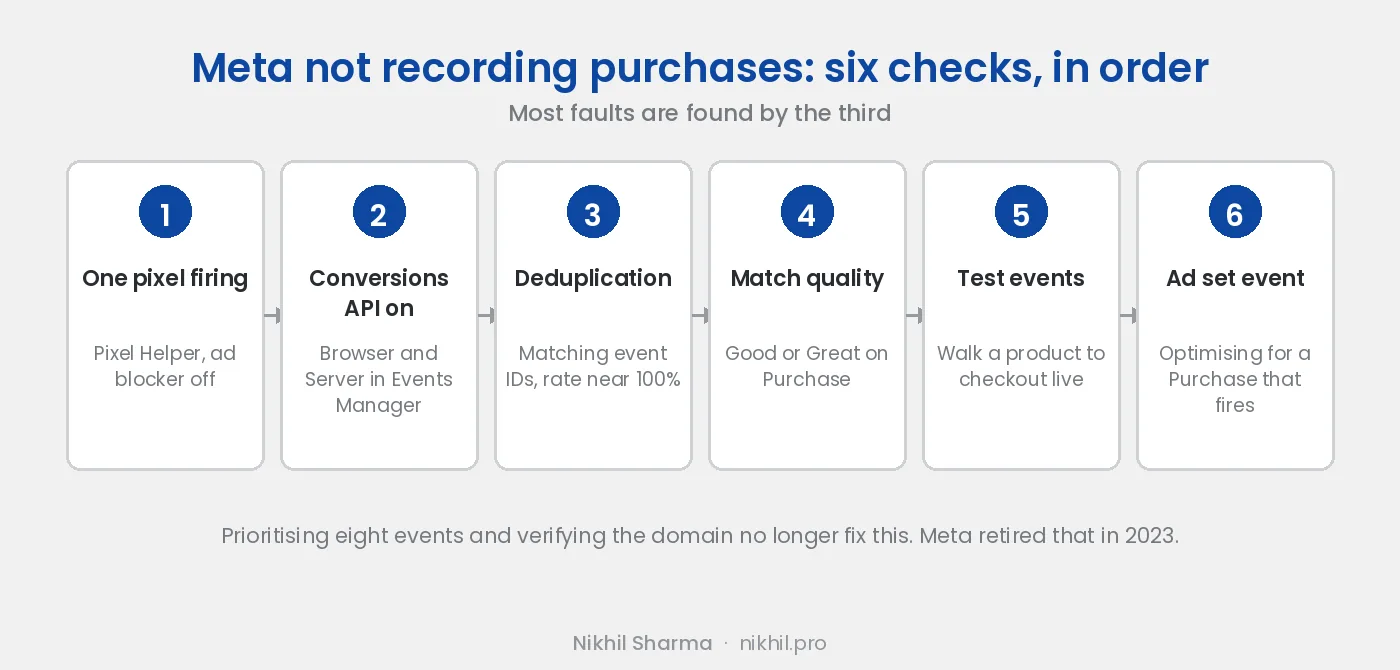
1. Check that exactly one pixel is firing
Install the Meta Pixel Helper extension in Chrome, turn off any ad blocker, open your store, and click the extension icon. It lists every pixel on the page and the events each one sent.
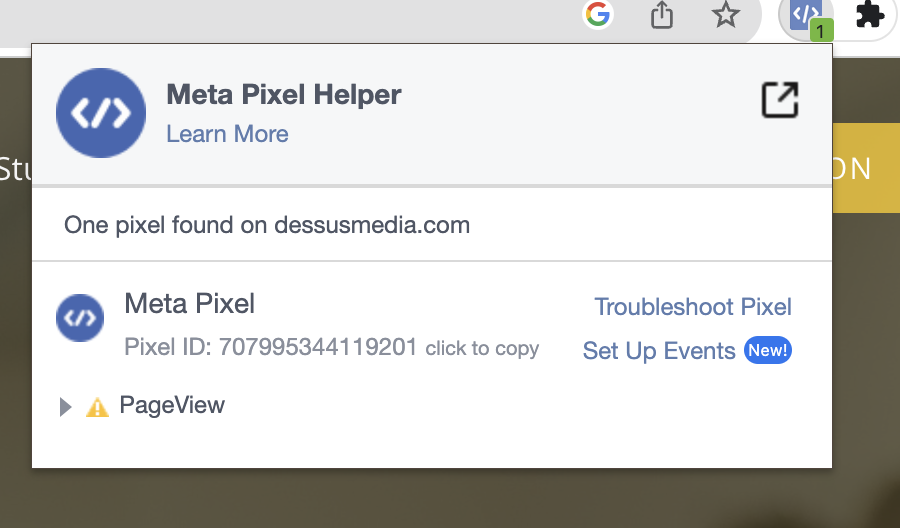
What you want is one pixel ID, firing PageView on every page, ViewContent on a product, AddToCart when you add, and InitiateCheckout when you reach checkout. Two pixel IDs means someone installed it twice, usually once through Shopify’s channel and once pasted into the theme, and Meta is now seeing every event doubled. No pixel means the channel is disconnected.
Fix it in Shopify’s Facebook and Instagram channel, not in the theme code. The channel installs the pixel and the Conversions API together, and a pixel pasted into theme.liquid is the thing you remove.
2. Check the Conversions API is sending server events
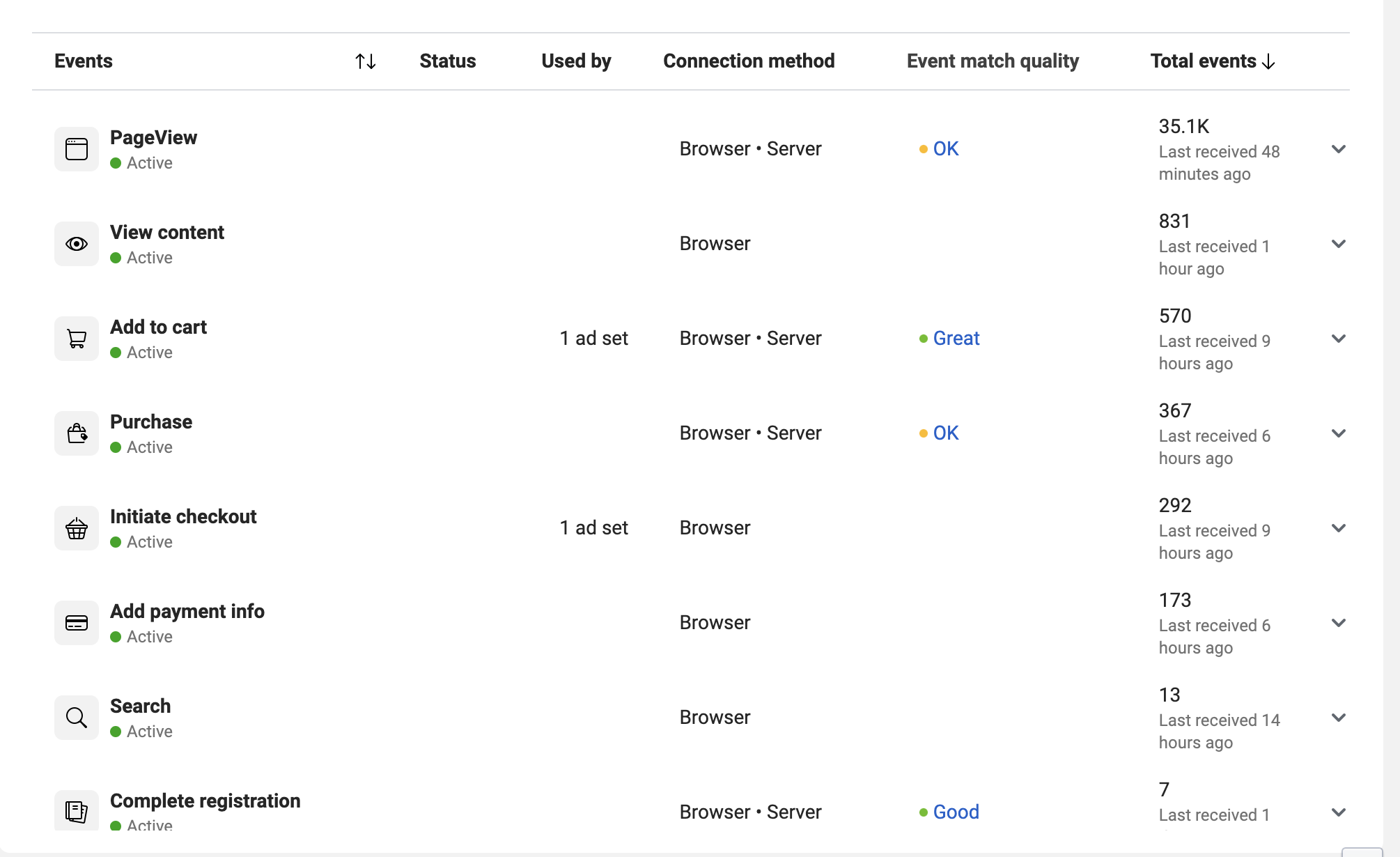
Open Events Manager, select the pixel, and look at the connection method column. It should say Browser and Server. If it says Browser only, the Conversions API is not connected, and every purchase from a customer whose browser blocks the pixel, which is most iPhones and anyone with an ad blocker, is lost.
On Shopify, the fix is the data sharing setting in the Facebook and Instagram channel. Set it to Maximum. Shopify then sends the server side events from the checkout, with the customer details Meta needs to match them, and the browser events with the same event ID so Meta can deduplicate the pair.
3. Check deduplication
With browser and server events both sending, each purchase arrives twice. Meta keeps one if the two carry the same event ID and discards the other. If the IDs do not match, Meta either double counts or, more often, flags the events as inconsistent and the reporting goes strange.
Events Manager shows this under the event details as a deduplication rate. Near 100 percent is correct. Low or zero means the browser and server sides are coming from different installs, which takes you back to step one.
4. Check event match quality
Still in Events Manager, the event match quality column scores each event on how much customer information came with it. Good or Great is fine. Poor means the server events are arriving without the email, phone, name or address that lets Meta tie the purchase to a person who saw an ad, and attribution will suffer even though the events are technically recorded.
On Shopify with data sharing at Maximum, Purchase should score Good or better, because the checkout has all of that. If it does not, the channel is sending the events without the customer parameters and reconnecting it usually clears it.
5. Test the events live
Events Manager, select the pixel, open Test Events. Enter your store URL, open the site in the new tab, and walk through a product page, an add to cart and a checkout. The events should appear in the test tab within seconds, with a source of Browser, Server, or both.
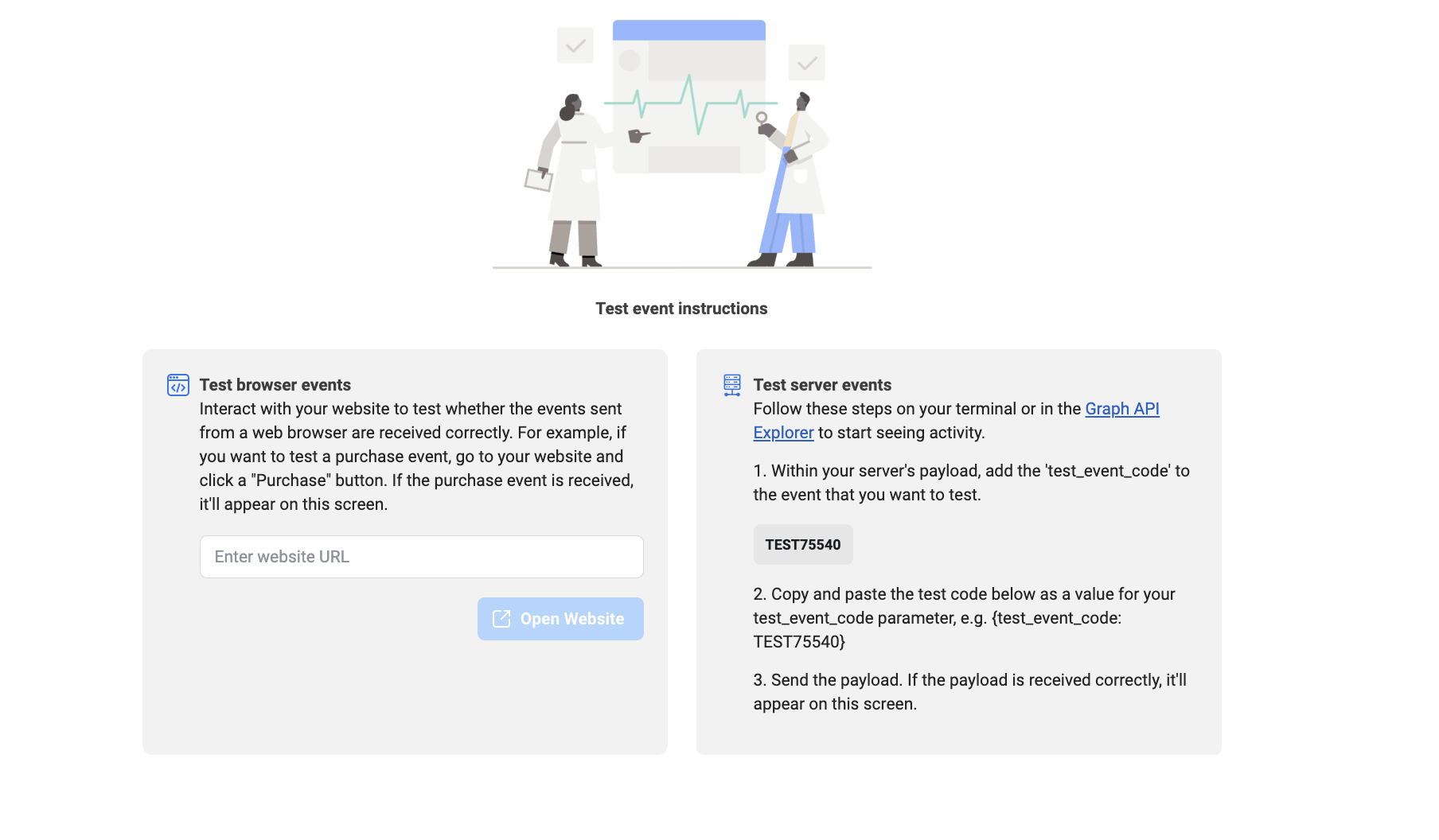
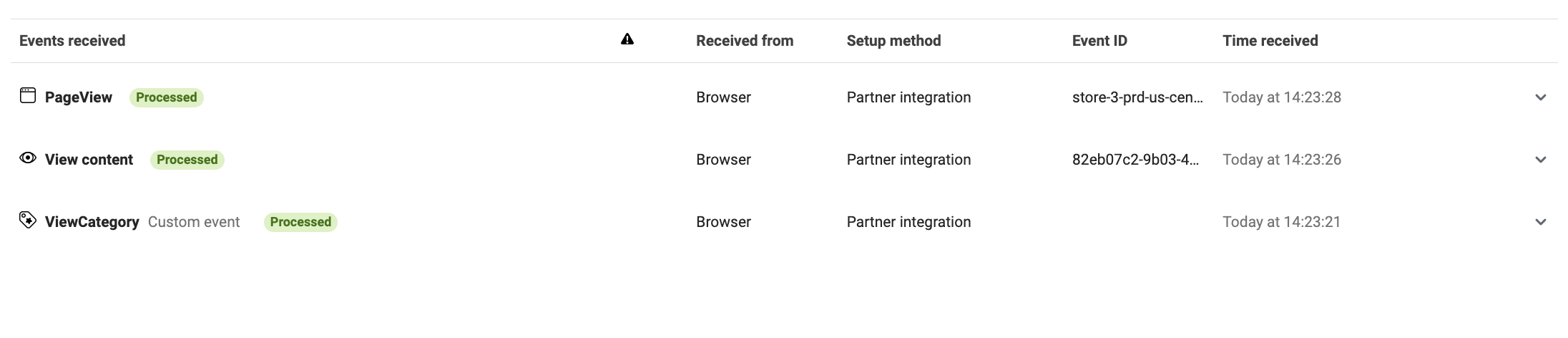
If browser events appear and server events do not, the Conversions API is the problem. If nothing appears, the pixel is not on the page. Place a real test order with a discount code if you want to see Purchase arrive, since it only fires on a completed checkout.
6. Check what the ad set is optimising for
An ad set set to optimise for Purchase on an account where Purchase stopped firing will still spend. It optimises towards the next signal down, usually AddToCart or landing page views, and reports whatever it can see. The campaign looks healthy on Meta’s dashboard and the Shopify revenue does not move.
Open the ad set, confirm the conversion event is Purchase, and confirm that event is active in Events Manager with recent activity. If you renamed or recreated a pixel at any point, the ad set may be pointing at the old one.
What is no longer true
A lot of guides, including the first version of this one, tell you to prioritise eight events in the Aggregated Event Measurement tab and verify your domain before events will work. Meta retired the prioritisation and the tab in 2023. Domain verification is still worth doing for control over who can run ads to your links, but it is not what stops purchases recording. If you are following a guide that spends a lot of time on event prioritisation, it predates the current system.
What replaced it is simpler and less forgiving: one pixel, the Conversions API alongside it, matching event IDs, and good match quality. Get those four right and the recording problem goes away. Get one wrong and it looks like Meta is broken.
Meta and Shopify will never agree exactly
Even with everything correct, Meta reports fewer purchases than Shopify. It only counts the ones it can attribute to an ad within the window, usually seven day click and one day view, and Shopify counts every order. A gap of 20 to 40 percent is normal. Meta at zero while Shopify has orders is a tracking fault. Meta at double Shopify is a deduplication fault. The KPIs post covers which number to run the business on.
If it is still not recording
If every campaign dropped on the same day rather than the numbers drifting, check whether Meta itself is having an incident before touching anything. Once purchases are recording, the $45 a day test is the structure to relaunch with.
The remaining causes are rarer: a consent banner that blocks the pixel until accepted and is never accepted, a headless or custom checkout that bypasses Shopify’s channel, or a third party tracking app fighting the native one. Each is a different fix and each shows up differently in the test events tool, which is why that step comes before guessing.
I have connected and repaired hundreds of Meta pixels across Shopify stores, including through the iOS 14 period when most of them broke at once. If you want yours checked, book a call. The six steps above take about twenty minutes on a call and find the fault most of the time.
Frequently asked questions
Why is Meta Ads not recording add-to-cart events or purchases?
How do I check whether the Meta pixel is installed on my Shopify store?
Do I still need to prioritise eight events in Events Manager?
What is event match quality and why does it matter?
How do I set up the Conversions API on Shopify?
Why does Meta report fewer purchases than Shopify?
Can Meta still optimise campaigns if purchase events are missing?
Get new posts in your inbox
Occasional notes on Shopify, paid ads, and what I learn. No spam.
Thanks. Check your inbox to confirm.

Nikhil Sharma
I run data and operations for a DTC brand on Shopify, consult on Meta and Google Ads, and build AI automations for ecommerce teams. I write about what I build and run.