Meta Flexible Ad Format Guide: How It Works and Where It Breaks
Meta added a new ad option called Flexible Format. It lets you upload one or two assets and lets Meta reshape them for every placement instead of you making separate versions for Feed, Stories, and Reels.
If you’re currently exporting six versions of every ad, this saves you real time. If you already use dynamic creative or ASC, you’re probably wondering what’s different. And if you’ve hit the error flexible format unsupported by objective, you already know it doesn’t work for every campaign.
Here’s what it does, when it helps, and where it breaks.
What Are Meta Flexible Formats?
In Meta Ads Manager, the Flexible Format lets you upload multiple assets like images or videos, and Meta’s delivery system picks the best version for each person and placement. It adapts the format automatically instead of requiring you to craft separate versions for every placement.
You can provide up to about ten assets depending on your account, and the system can choose to show a single image, a video, or even a carousel depending on what it predicts will perform best. This feature works best with objectives like sales or app promotion, though it’s not ideal for catalog ads.
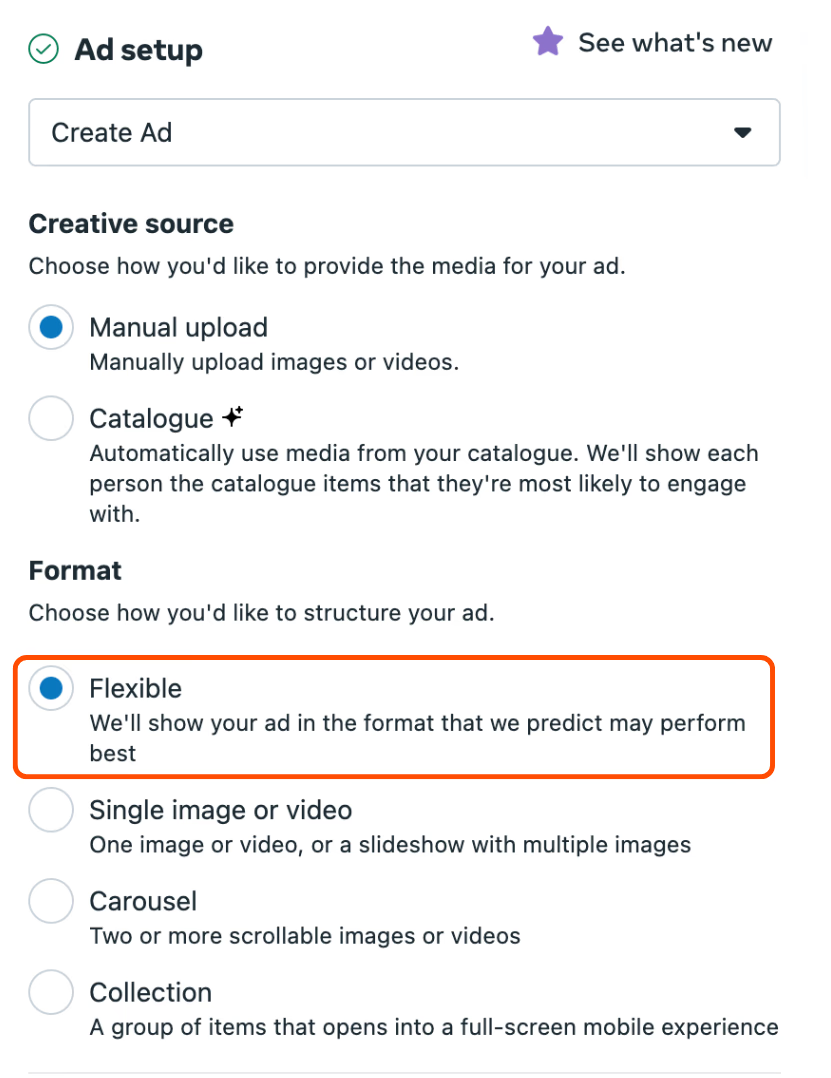
Since Flexible Formats handle the adaptation work, you save time and reduce creative production friction. Instead of making separate 1:1, 4:5, and 9:16 versions manually, you upload one flexible creative set and let Meta do the rest.
Best Ad Ratio for Meta Flexible Format
If you can design only one master version, create it in 4:5 ratio (1080 × 1350 px). This size performs best because:
-
It takes up the most space on mobile feeds.
-
Meta can easily crop it into 1:1 for Feed or 9:16 for Stories and Reels.
-
It keeps your visuals legible across placements without losing key details.
If you have time to produce multiple assets, add 1:1 (1080 × 1080 px) and 9:16 (1080 × 1920 px) versions too. The system will automatically test and select the best one for each placement.
Recommended Asset Specs
| Asset Type | Ratio | Recommended Size | Use Case |
|---|---|---|---|
| Image | 1:1 | 1080 × 1080 px | Feed, Explore |
| Image | 4:5 | 1080 × 1350 px | Feed, Marketplace (best base ratio) |
| Image | 9:16 | 1080 × 1920 px | Stories, Reels |
| Video | 1:1 | 1080 × 1080 px | Feed |
| Video | 9:16 | 1080 × 1920 px | Stories, Reels |
| Video | 16:9 | 1920 × 1080 px | In-stream, horizontal feeds |
File limits:
-
Image: JPG or PNG (max 30 MB)
-
Video: MP4 or MOV (max 4 GB, up to 120 seconds)
How Meta Lattice and Andromeda Influence Flexible Formats
Let me break it down for you
Meta Lattice is like the ranking engine that decides which ad to show to which person in which placement.
Meta Andromeda is a retrieval system that scans through many possible ads and picks the ones worth showing. It values creative variety and quality. You can learn more about it here.
By using Flexible Formats, you give these systems more creative options to work with. That means Andromeda can select the best combination for each situation while Lattice optimizes delivery in real time. The more diverse and well-designed your creatives are, the better both systems can perform.
Why Meta Wants More Creative Diversity and Quality
Meta’s advertising engine isn’t built around showing one single “hero” ad to everyone. Instead, it rewards creative diversity and high-quality visuals because this approach helps reach more people effectively across placements.
In practice, that means:
-
Don’t use the same image with slightly changed headlines. The system may read those as duplicates.
-
Experiment with different formats like static images, short videos, or carousels.
-
Give the system a mix of creative directions so it can learn what resonates best with each audience segment.
Practical Tips for Using Flexible Formats
-
Keep key visuals and text centered so they stay visible even if the system crops or resizes your ad.
-
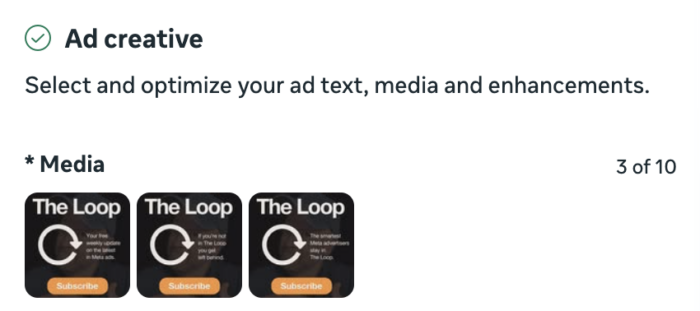
Upload multiple assets, both images and videos, to give the system more options.
-
Double-check that your campaign objective supports Flexible Formats before enabling it.
-
Preview your ad across placements to make sure it looks right.
-
Monitor results regularly and refine your creative mix based on performance trends.
Benefits of Flexible Ad Formats
-
Saves time and resources: You no longer need to design multiple versions for each placement. Upload your creatives once, and Meta automatically adjusts them for different placements.
-
Smarter optimization: Meta’s system tests and delivers the best-performing version automatically, improving efficiency without manual A/B testing.
-
Consistent branding: Your message stays cohesive across Feed, Reels, and Stories without extra manual adjustments.
-
Improved reach and adaptability: A single creative can adapt across more surfaces, helping you capture attention wherever your audience is active.
-
Better use of AI systems: Flexible Formats integrate directly with Meta’s learning models like Lattice and Andromeda, allowing these systems to handle optimization dynamically.
Limitations of Flexible Ad Formats
-
Less manual control: You can’t fine-tune how your ad looks in every placement, since cropping and layout adjustments happen automatically.
-
Creative design still matters: If your assets aren’t adaptable (for example, text-heavy designs), automatic crops may cut off key visuals or text.
-
Performance transparency: You’ll see less granular data about which specific creative formats performed best because Meta’s system optimizes behind the scenes.
-
Not ideal for catalog or product-specific ads: Product-heavy campaigns or catalog-based ads still benefit from more structured templates rather than flexible layouts.
If you understand these trade-offs upfront, you can plan smarter and let automation work for you instead of against you.
How Do I Add a Flexible Ad Format?
You can set up a Flexible Ad Format directly in Meta Ads Manager while creating your ad. Here’s how to do it:
-
Go to Ads Manager and create a new campaign as usual.
-
Choose an objective that supports Flexible Formats, such as Sales, Leads, or Engagement.
-
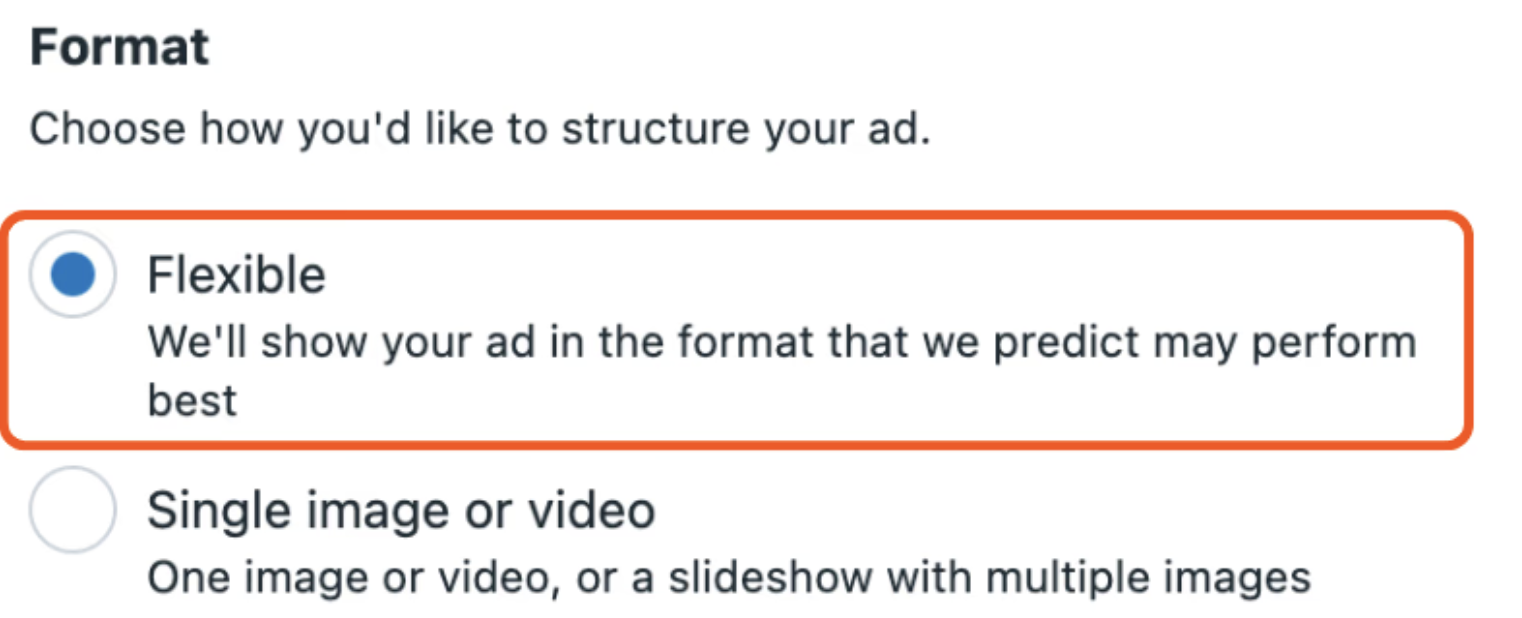
When you reach the Ad level, find the Ad format section.
-
Select Flexible format instead of single image, video, or carousel.
-
Upload your creative assets - you can add up to 10 image or video variants along with multiple headlines and primary text options.
-
Publish your ad, and Meta’s systems (powered by Lattice and Andromeda) will automatically test and deliver the best-performing combinations across placements.
Common Questions About Flexible Ad Formats
-
How many variants can I add on Meta Flexible Ad?
You can include up to 10 creative variants in one Flexible Ad Format. Each variant can be a different image or video. -
Can I add videos along with images on Meta Flexible Ad?
Yes. You can mix both images and videos in the same ad, and Meta will decide which version to show based on performance and placement. -
Can I create similar variants with minor tweaks?
No. Meta recommends making sure each variant is distinctively different - this helps the system learn which creative directions actually perform better, rather than testing near-identical versions.
Final Thoughts
Flexible Formats aren’t about losing control. They’re about working smarter. When you design your creatives to be flexible, provide the system with variety, and understand how Meta’s back-end works through Lattice and Andromeda, you’ll see better results with less manual effort.
What To Do Next
Your ads might already be good - what’s missing is the right setup behind them. When the creative, targeting, and delivery systems work together, performance compounds fast.
If you want personalized help improving your Meta setup or ad strategy, you can book a 1:1 session where I walk you through it step by step.
Get new posts in your inbox
Occasional notes on Shopify, paid ads, and what I learn. No spam.
Thanks — check your inbox to confirm.

Nikhil Sharma
I'm Nikhil Sharma. I write about Shopify, paid ads, email, and the systems I build for the DTC brands I work with.