Booking and Form Conversion Tracking Setup for Google Ads, GA4 and Meta, $199
Most Google Ads accounts that send traffic to a booking page are optimising for the wrong thing. The campaign counts clicks, or page views, or a thank you page that half the visitors never see, while the meetings themselves go uncounted. Google then learns to find people who click, not people who book.
The fix is the same four steps every time: catch the booking where it happens, send it to GA4 as a key event, import that into Google Ads as a conversion, mirror it to Meta. Each of the four tools does step one differently, and that difference is where people lose an afternoon. I have written the free walkthrough for each, and this page is for the people who would rather have it done.
Done with you, same day
Booking and form conversion tracking, $199
One tool, wired to GA4, Google Ads and Meta on a screen share with your accounts open. Tested with a live booking before we hang up.
Not sure this is the problem
Ask first
Thirty minutes, free, to look at what the account is optimising on. If the $199 is the wrong product I will say so.
What gets set up
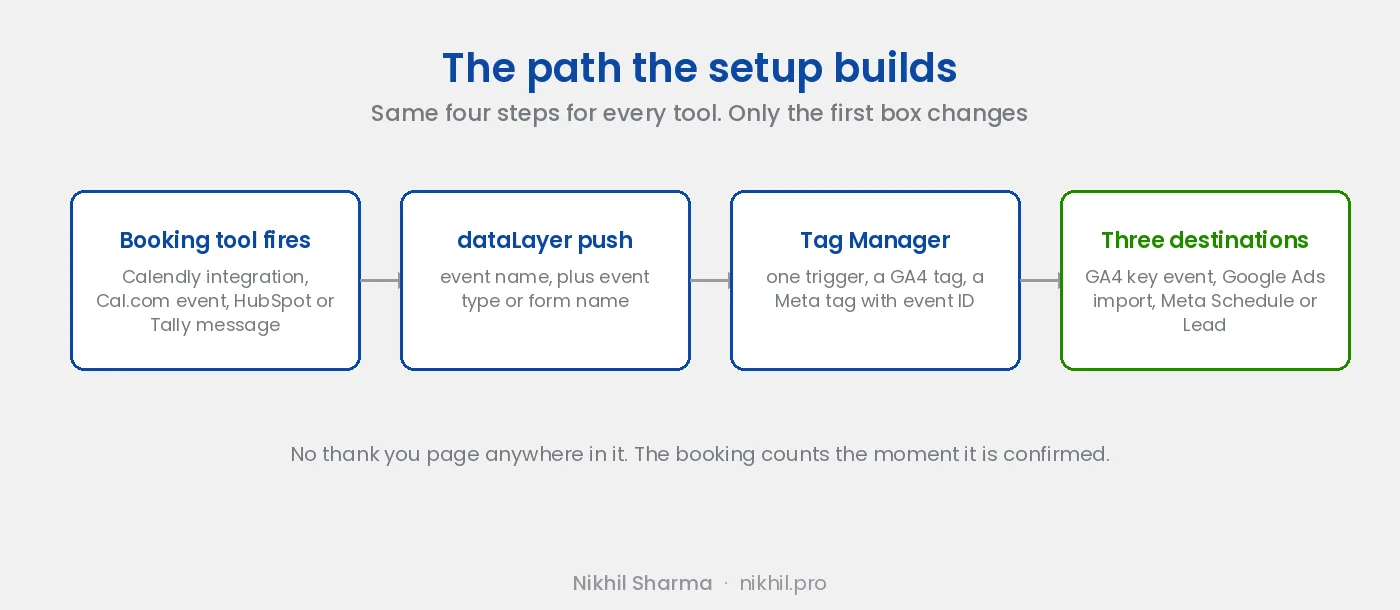
One booking tool or form. Calendly, Cal.com, HubSpot meetings or Tally. The event is caught at the source, not on a redirect page: Calendly’s Google Analytics integration, Cal.com’s bookingSuccessful embed event, the meetingBookSucceeded message from HubSpot, the Tally.FormSubmitted message from Tally.
From there the path is the same. A dataLayer push with the event and, where the tool provides it, the event type or form name as a parameter. A Tag Manager trigger. A GA4 event tag, marked as a key event. A Google Ads conversion action imported from that key event, set as primary if bookings are what the campaigns should learn from. A Meta pixel tag firing Schedule or Lead with an event ID, so a server side copy through the Conversions API can be added later without double counting.
You get a short note afterwards listing every tag, trigger and conversion by name, so the next person who opens the container knows what is there and why.
What it fixes
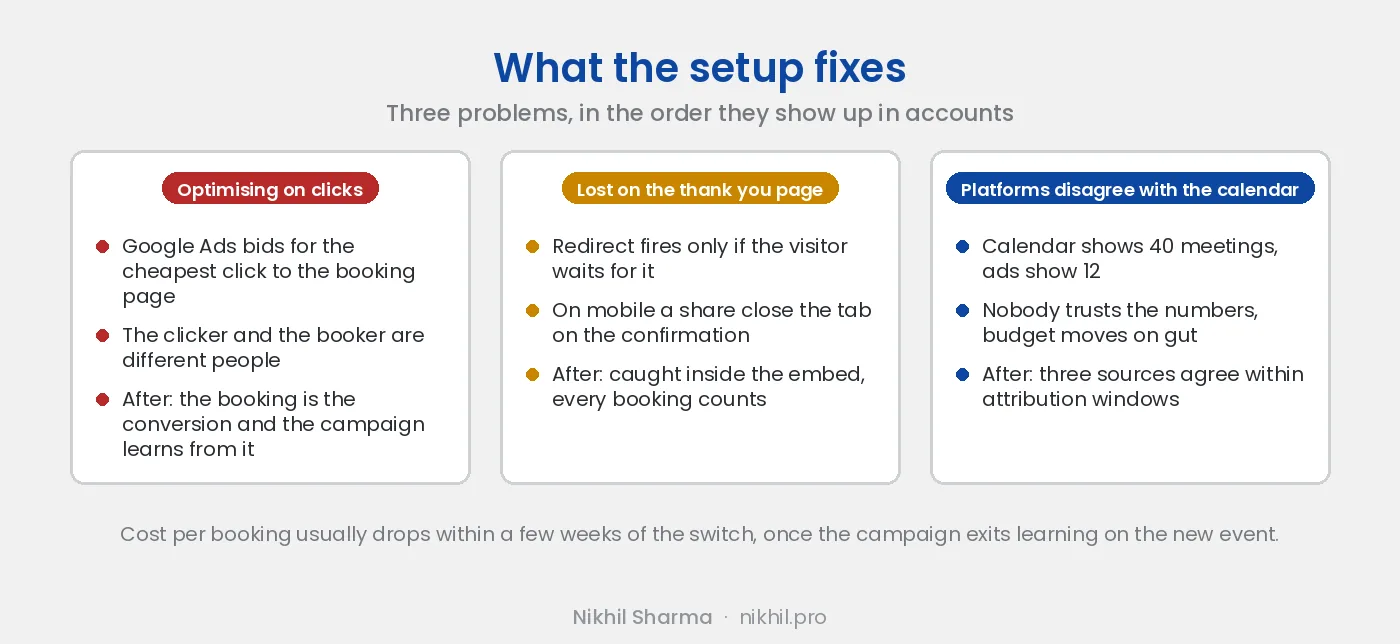
Three things, in the order they show up in accounts.
Campaigns optimising on clicks or page views. Google Ads is bidding for the cheapest click to the booking page, which is not the same person as the one who books. Once the booking is the conversion, the campaign learns from the right outcome and the cost per booking drops within a few weeks as it exits learning.
Bookings lost to the thank you page. A redirect after booking fires only if the visitor waits for it. On mobile a share of people close the tab on the confirmation screen, and those bookings never reach the ad platforms. Catching the event inside the embed counts all of them.
Meta and Google disagreeing with the calendar. When the booking tool shows 40 meetings and the ad platforms show 12, nobody trusts the numbers and budget decisions get made on gut. With the event firing to both, the three sources agree to within attribution windows, and the gap that is left is explainable.
How the call runs
You share your screen with Tag Manager, GA4, Google Ads and the booking tool open. I talk, you click, so the access and the ownership stay with you and nothing is set up under an account you do not control. The listener goes on the page, the trigger and tags go into the container, we publish, and you make a test booking. We watch it land in GA4’s realtime report and in Tag Manager’s preview, and we create the Google Ads conversion action from it. The Meta event is checked in Events Manager’s test events.
Forty five minutes to an hour. The one thing that cannot be done on the call is Google Ads showing the conversion as active, because the GA4 key event takes up to a day to appear for import. I check that the next day and message you.
Do it yourself instead
Everything on this page is written up free, step by step, for each tool:
- Calendly, the longest one, with the screenshots for the GA4 and Google Ads steps that the others share
- Cal.com, using the embed event, since Cal.com has no built in Analytics integration
- HubSpot meetings, including keeping HubSpot’s own attribution in step with the ad platforms
- Tally forms, with the form ID passed through so each form is its own conversion
If you read one of those and it worked, you do not need this page. If you read one and got stuck at the Tag Manager step, which is where most people get stuck, that is what the $199 is for.
When this is the wrong product
If purchases are missing from Meta, if GA4 and Shopify disagree on revenue, if the campaign is optimising on an event that does not exist in the data, the booking setup will not fix it and I will tell you that on the call rather than take the $199. That is a tracking audit across the stack, scoped separately, and the Meta tracking post is the free version of what it covers.
If the bookings are tracked and the campaigns still do not perform, the problem is upstream of tracking: structure, creative or the offer. That is the ads work, which starts with the audit and is priced on the account.