Shopify CRO Audit: Find Out Why Traffic Is Not Converting
Traffic is arriving. Sales are not. Before you spend another month testing button colours, it is worth being clear about which of those two problems you have, because they have different fixes.
Manual audit, $999
Find out why the traffic is not converting
Initial review within two business days, full audit in two to four weeks, with the fixes in order of what they are worth.
Not sure you need one
Talk it through first
Thirty minutes. If your conversion rate is above 3 percent and tracking is clean, I will say the money belongs in traffic.
The thing most CRO advice skips
Testing sounds like the responsible answer. Run an experiment, let the data decide. The problem is that most tests never produce an answer at all.
Convert, one of the larger testing platforms, reports that across more than 28,000 tests run on their platform, roughly one in five reached statistical significance. Four in five ran, consumed traffic, and ended inconclusive.
That number is the whole argument for auditing first. A test is expensive in traffic and in time, and a store doing a few hundred sessions a day does not have enough of either to spend on a hypothesis nobody checked.
What the audit actually covers
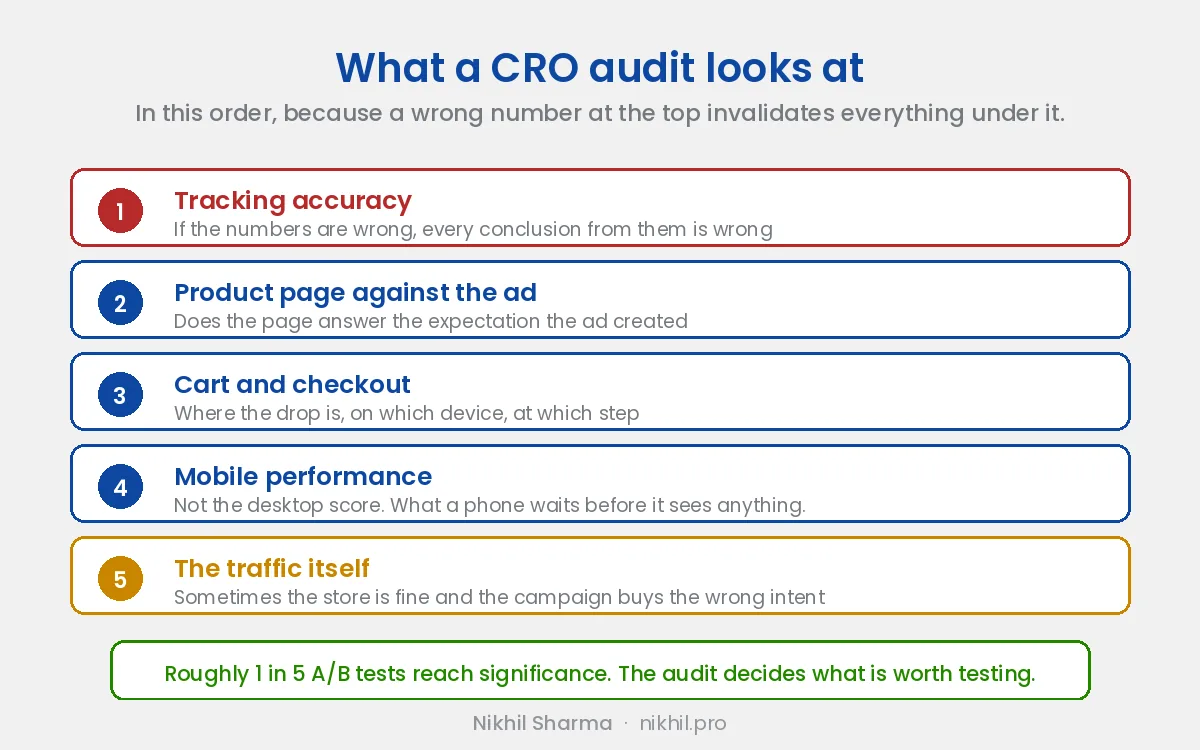
Tracking accuracy, before anything else. If the numbers are wrong, every conclusion drawn from them is wrong. This is the most common finding and the least interesting to talk about, which is why it gets skipped.
The product page against the ad that sent them. A visitor arrives carrying an expectation the ad created. If the page does not answer it in the first screen, they leave. This is usually a mismatch problem rather than a design problem.
Cart and checkout. Where the drop-off is, on which device, at which step.
Mobile performance. Not the desktop score. The number that matters is how long a phone on a normal connection waits before it sees anything.
Whether the traffic is the problem. Sometimes the store converts fine and the campaign is buying the wrong intent. An audit that only looks at the site will never find this, and it is why I look at the ad account too.
Test it yourself first
Shopify has A/B testing built into the admin now, under Markets, called Rollouts. It is worth trying before you pay anyone, and I wrote up what it does and does not do after testing it.
The short version:
- What it does well: splits traffic server side with no flicker, and it is included in your plan.
- What it does not give you: a funnel breakdown, audience exclusion at the test level, or statistical significance. It reports a conversion rate per variant and stops there, so 2.1 percent against 2.3 percent cannot be separated from ordinary variance.
What the numbers actually look like
I would rather give you the real range than an impressive one.
On the stores I have rebuilt, the jump from fixing the obvious problems has run from around 1.2 to 1.4 percent up to 3.2 to 3.3 percent. That is roughly a doubling, and it came from product page rewrites, tracking repairs and checkout work rather than from any single clever test. The beauty brand case study and the D2C rebuild both document the whole sequence.
How it works
The manual audit is $999.
- Within two business days: an initial review covering anything urgent or clearly broken.
- In two to four weeks: the full audit, because separating a real pattern from a quiet week needs enough data to look at.
- What you get: the fixes in order of what they are worth, with the evidence for each.
Manual audit, $999
Find out why the traffic is not converting
Initial review within two business days, full audit in two to four weeks, with the fixes in order of what they are worth.
Not sure you need one
Talk it through first
Thirty minutes. If your conversion rate is above 3 percent and tracking is clean, I will say the money belongs in traffic.