Cal.com Conversion Tracking for GA4, Google Ads and Meta
Cal.com is the open source alternative to Calendly, and for a lot of stores it is the better choice: the free plan is generous, the embed is clean, and it does not nag. The one thing it does not do is the thing Calendly does well: send a booking event to Google Analytics with a single tag ID.
So people fall back on a thank you page. The visitor books, Cal.com redirects, the redirect fires a conversion. Except a large share of visitors close the tab on the confirmation screen and never see the redirect, and those bookings vanish from Google Ads. The fix is to catch the booking where it happens, inside the embed, and push it to Tag Manager yourself. It is ten lines of code and twenty minutes.
Done for you, same day
Booking conversion tracking setup, $199
Cal.com, Calendly, HubSpot or Tally wired to GA4, Google Ads and Meta, tested with a live booking on a call with your accounts open.
If bookings are only part of the problem
Tracking audit across the stack
GA4, Google Ads, Meta pixel and Conversions API, and Shopify if you sell, reconciled against what actually happened. Scoped on a call first.
What you need
Cal.com on any plan, with the calendar embedded on a page you control. Google Tag Manager installed on that page. A GA4 property and a Google Ads account linked to it. For Meta, the pixel ID from Events Manager.
If the calendar is not embedded and visitors book on cal.com itself, you do not control that page, and the options are Cal.com’s own GA4 and Meta apps from its app store, which fire on the hosted page with less precision. Embed it. It takes one script tag and it is the only way to own the tracking.
Step 1: listen for the booking
Cal.com’s embed script exposes an event API. On the page that holds the embed, after the embed snippet, add:
<script>
  Cal("on", {
    action: "bookingSuccessful",
    callback: function (e) {
      window.dataLayer = window.dataLayer || [];
      window.dataLayer.push({
        event: "cal_booking",
        cal_event_type: e.detail && e.detail.data && e.detail.data.eventType
          ? e.detail.data.eventType.slug : undefined
      });
    }
  });
</script>
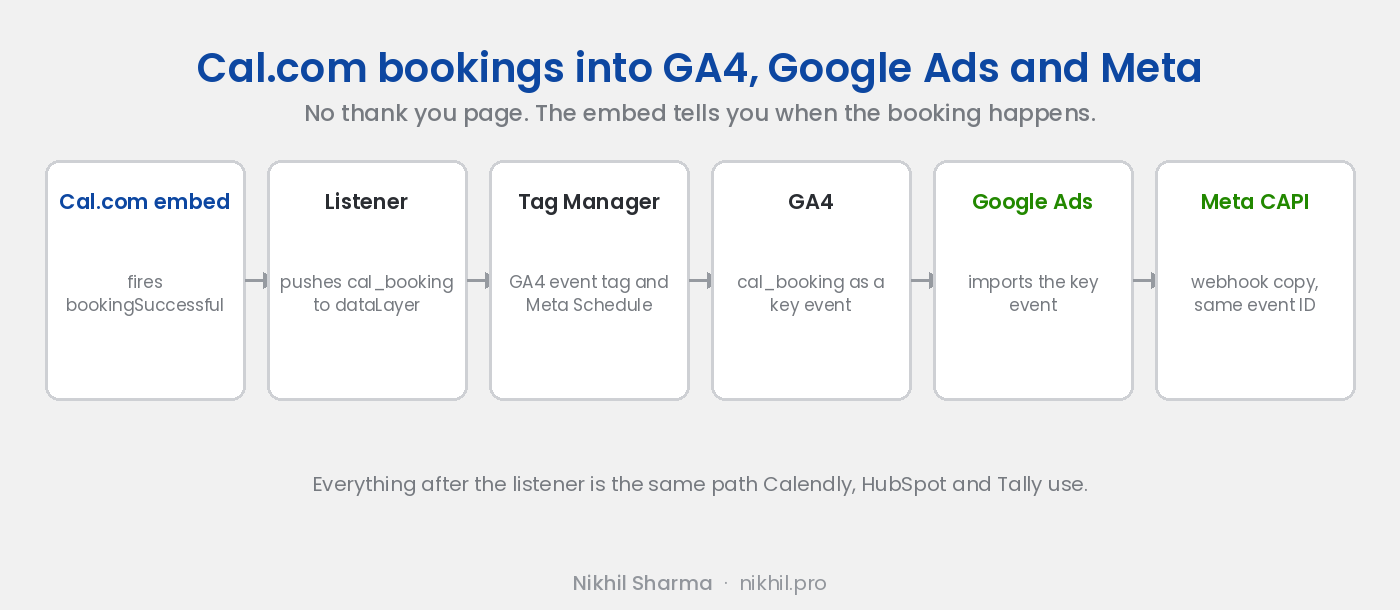
That fires the moment the booking is confirmed, inside the embed, with no redirect. Open the page, make a test booking, and check dataLayer in the browser console: a cal_booking entry should be there.
Step 2: a trigger and two tags in Tag Manager
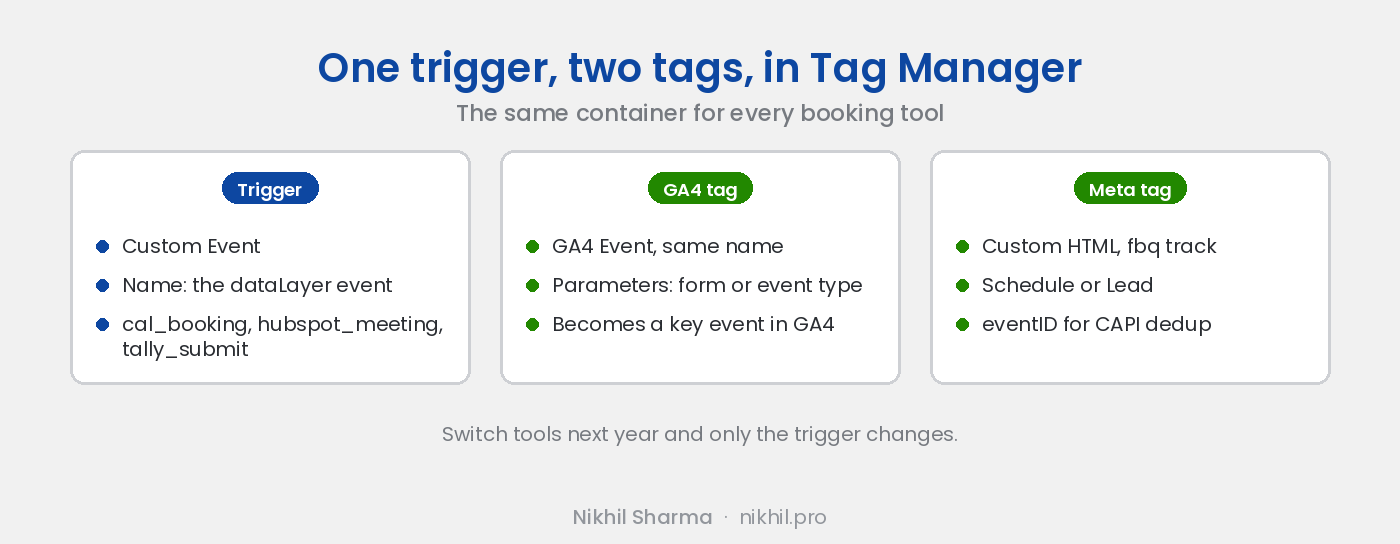
Trigger. Custom Event, event name cal_booking.
GA4 tag. Google Analytics: GA4 Event, event name cal_booking, fired by that trigger. Add cal_event_type as an event parameter if you run more than one event type and want to tell a sales call from a support call.
Meta tag. Custom HTML with fbq('track', 'Schedule', {}, { eventID: '<unique id>' }), same trigger. The event ID matters in step 5.
Publish the container. Use Preview mode and make another test booking to confirm both tags fire.
Step 3: mark it as a key event in GA4
GA4, Admin, Events. Within a day cal_booking appears in the list. Toggle it to a key event. If you cannot wait, create the key event by name under Key events, New key event, and it will attach when the first one arrives.
Step 4: import it into Google Ads
Google Ads, Goals, Summary, New conversion action, Import, Google Analytics 4 properties, Web. Select cal_booking, import, and set it as primary if booked calls are what the campaigns should optimise for. The status reads active once the first booking arrives after import. The full walkthrough with screenshots is in the Calendly post, and from this step on the two are identical.
Step 5: give Meta a server side copy
The pixel from step 2 misses bookings from iPhones and ad blockers. Cal.com’s webhooks fix that: Settings, Developer, Webhooks, new webhook on BOOKING_CREATED, pointed at a Zapier or Make catch hook. From there, post to Meta’s Conversions API with the attendee’s email hashed and the same eventID the pixel used, so Meta deduplicates the pair instead of double counting. The Meta tracking post covers why the event ID is the whole point.
What this gives you
Every booking in GA4 with its source, every booking in Google Ads against the campaign and keyword that produced it, and every booking in Meta against the ad. Tag Manager holds all of it in one container, so when you add HubSpot meetings or a Tally form next year, or switch to Calendly, the trigger changes and nothing else does.
If you would rather not spend the twenty minutes, the setup at the top of this post is the same work done on a call, with a live test booking before we hang up.
Frequently asked questions
Does Cal.com have a Google Analytics integration?
What event does Cal.com fire when a booking is made?
Do I need a thank you page for Cal.com tracking?
How do I get Cal.com bookings into Google Ads?
Can I send Cal.com bookings to Meta?
Which Cal.com plan is needed?
Get new posts in your inbox
Occasional notes on Shopify, paid ads, and what I learn. No spam.
Thanks — check your inbox to confirm.

Nikhil Sharma
I run data and operations for a DTC brand on Shopify, consult on Meta and Google Ads, and build AI automations for ecommerce teams. I write about what I build and run.