Tally Form Conversion Tracking for Google Ads, GA4 and Meta
Tally is the form builder people reach for when they want something that looks good and costs nothing, and a lot of lead forms, quote requests and job applications on Shopify brand sites run on it. The tracking question comes up as soon as ads point at one of those forms: Google Ads shows clicks, the inbox shows submissions, and nothing connects them.
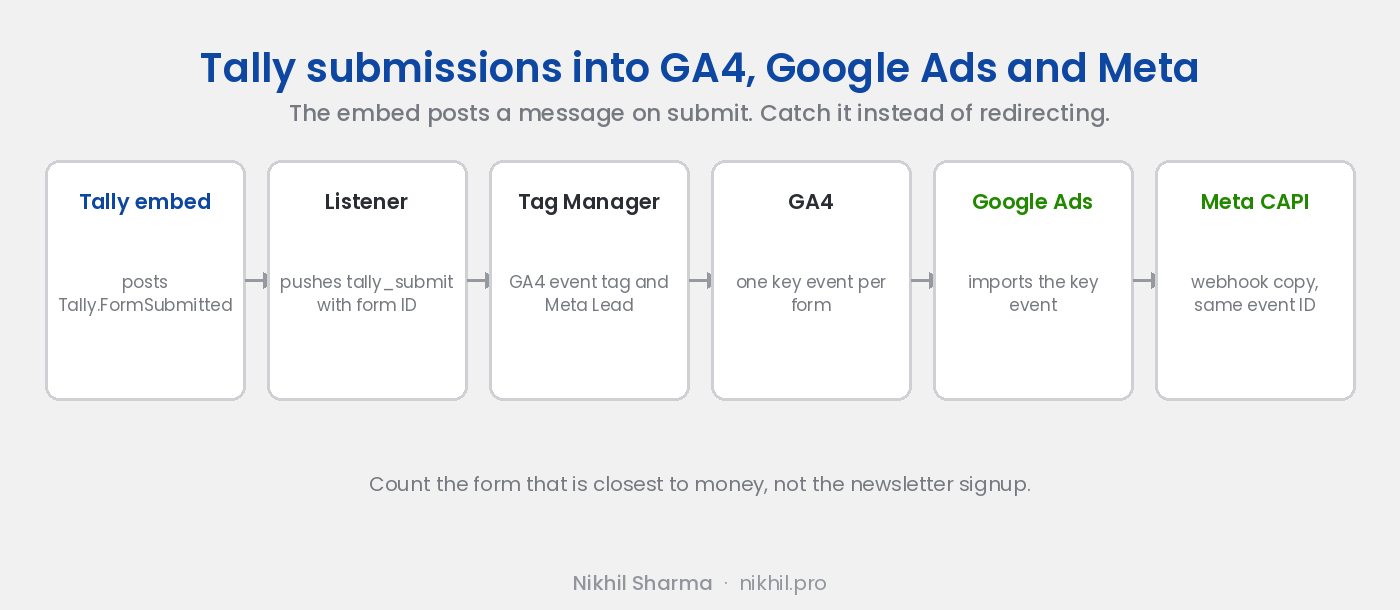
Tally’s answer is a redirect on completion, which is the same thank you page approach that loses bookings for Calendly. The better answer is the message Tally sends to the host page when the form is submitted. Catch it and the conversion counts on the spot.
Done for you, same day
Form and booking tracking setup, $199
Tally, Calendly, Cal.com or HubSpot wired to GA4, Google Ads and Meta, tested with a live submission on a call with your accounts open.
If the form is only part of the problem
Tracking audit across the stack
GA4, Google Ads, Meta pixel and Conversions API, and Shopify if you sell, reconciled against what actually happened. Scoped on a call first.
What you need
A Tally form embedded on a page you control, inline or as a popup opened from your page. Google Tag Manager on that page. GA4 linked to Google Ads. The Meta pixel ID if you run Meta.
Step 1: catch the submission message
Tally’s embed talks to the parent page with postMessage. On the page that holds the form, add:
<script>
  window.addEventListener("message", function (e) {
    if (typeof e.data === "string" && e.data.indexOf("Tally.FormSubmitted") !== -1) {
      var payload = {};
      try { payload = JSON.parse(e.data).payload || {}; } catch (err) {}
      window.dataLayer = window.dataLayer || [];
      window.dataLayer.push({
        event: "tally_submit",
        tally_form_id: payload.formId,
        tally_form_name: payload.formName
      });
    }
  });
</script>
Submit a test entry and check dataLayer in the console for tally_submit with the form ID and name attached.
Step 2: trigger and tags in Tag Manager
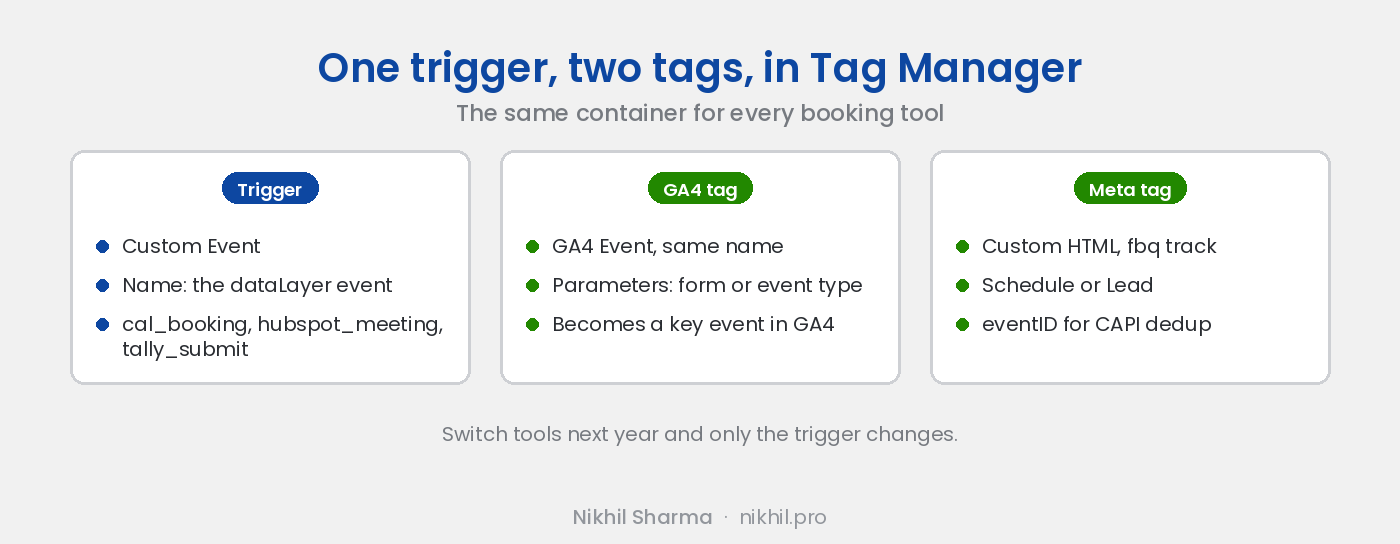
Custom Event trigger on tally_submit. Two Data Layer Variables, tally_form_id and tally_form_name. A GA4 Event tag sending tally_submit with both as event parameters, so each form is its own conversion later. A Meta Custom HTML tag with fbq('track', 'Lead', {}, { eventID: '<unique id>' }). Publish and verify in Preview with another submission.
If you only want one form counted, add a condition to the trigger on tally_form_id.
Step 3: key event in GA4, import to Google Ads
GA4, Admin, Events, toggle tally_submit to a key event. To count forms separately, create a key event per form from a custom event with a condition on the form ID. Then Google Ads, Goals, New conversion action, Import, Google Analytics 4, select it. The screenshots for both are in the Calendly post and the steps are identical.
Step 4: a server side copy for Meta
Tally’s integrations tab has webhooks on every submission, and Zapier and Make connectors. Post the submission to Meta’s Conversions API with the email hashed and the same event ID the pixel used. Meta deduplicates the two and keeps the one with the better match. The reason that matters, and what goes wrong without it, is in the Meta tracking post.
A note on what to count
A form submission is a lead, not a customer. Optimising Google Ads for it works when the form is the real step, a quote request or a booked consultation. It works badly when the form is a newsletter signup and the campaign learns to find people who like signing up for newsletters. Pick the event that is closest to money, and if the form leads to a call, track the call with Calendly or Cal.com and bid on that instead.
If you would rather have it done, the setup at the top of this post is the same work on a call, tested with a live submission before we hang up.
Frequently asked questions
How do I track Tally form submissions in Google Ads?
Does Tally have a Google Analytics or Meta pixel integration?
Why not use Tally's redirect on completion?
Can I tell which Tally form was submitted?
Can Tally submissions reach Meta's Conversions API?
Which Tally plan do I need?
Get new posts in your inbox
Occasional notes on Shopify, paid ads, and what I learn. No spam.
Thanks — check your inbox to confirm.

Nikhil Sharma
I run data and operations for a DTC brand on Shopify, consult on Meta and Google Ads, and build AI automations for ecommerce teams. I write about what I build and run.