Things to Know Before Starting a Shopify Store
Most of what makes a Shopify store expensive or painful shows up after launch, when it is awkward to change. This is the list I wish every store had read before the first order, worked out across stores I have launched and stores I have been hired to fix.
The plan price is not the monthly cost
Shopify’s plan is the floor. The store that does well on it has reviews, a popup, a bundle or upsell app, an email tool, a helpdesk and a page builder, and each of those is $5 to $50 a month. A Basic plan store with a normal set of apps is usually paying two to three times the plan price before any ads run.
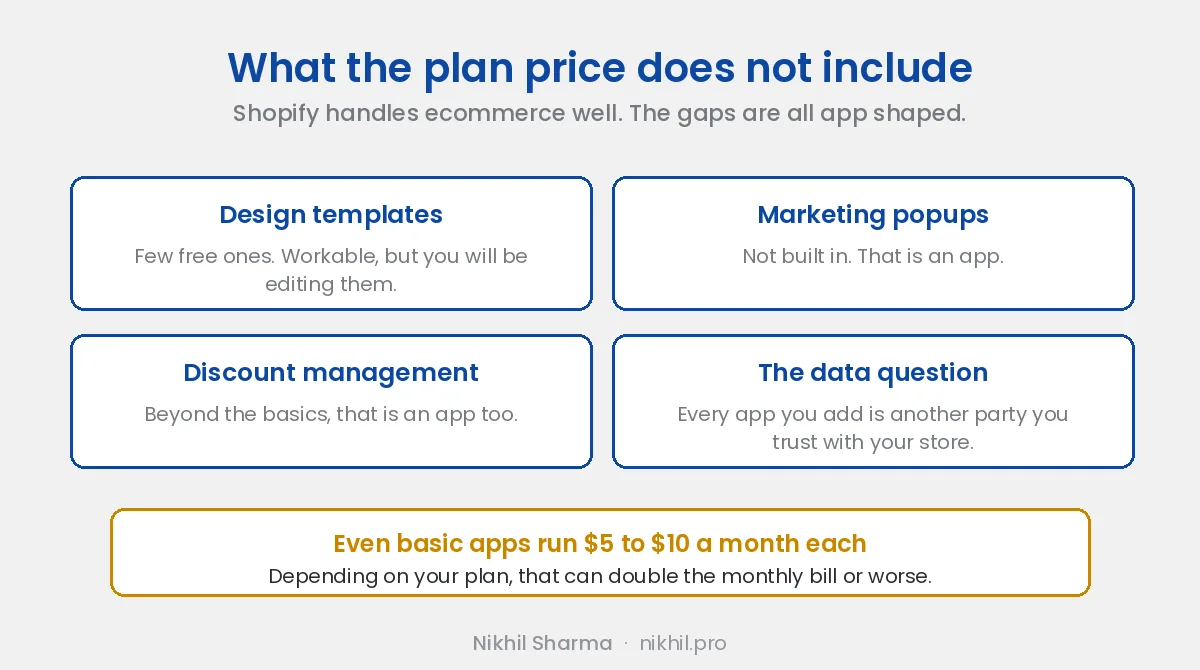
Two ways to handle it. Budget for the apps from day one, or launch with none and add each one when the store earns it. I prefer the second. A store doing twenty orders a month does not need a bundle app, and it does need to know what the plan costs on its own.
Every app is also another company with access to your store data. Shopify vets them, but the vetting is not a guarantee, and the more you install the more you have to keep track of when something breaks.
Four settings to decide before the first order
Store currency. Changing it after sales exist is a support ticket and a mess in reporting. Pick the currency of the market you expect most orders from.
Product URL structure. Shopify’s handles are what Google indexes and what your ad feeds point at. Renaming products later means redirects, and redirects at scale are where traffic leaks.
Variants. Decide whether colour and size are variants of one product or separate products. Reviews, inventory, feeds and bundles all attach differently depending on the answer, and switching after launch means rebuilding the reviews and the feed.
Theme. Not which theme, but whether you are going to customise it. A heavily customised theme is hard to update when Shopify ships new checkout or section features. The free themes are fine for a store under fifty products. Spend the money on product photography first.
Install tracking before you spend on ads
This is the mistake that costs the most. Stores launch, run ads for a month, and then discover the pixel was not recording purchases. The month of data is gone and the campaigns learned from nothing.
Before the first ad:
- Meta pixel and Conversions API through Shopify’s Facebook and Instagram channel, with the domain verified. Then test the events.
- Google Analytics 4 and Merchant Center through the Google and YouTube channel, with the feed approved. Free listings are on by default once it is, and they cost nothing.
- An email tool with the welcome, abandoned checkout and post purchase flows switched on, and the DNS records set so the emails arrive.
- A helpdesk, even a shared inbox, so the first support emails do not get lost in someone’s personal Gmail.
The full order is in the Shopify store marketing checklist. It exists because of how often the tracking step is skipped.
Shopify is the shop, not the street
Squarespace and Wix sell you a website. Etsy and Amazon sell you a place in a market that already has people walking through it. Shopify is a shop on an empty street. The checkout is excellent, payments are solved, the integrations are ahead of the alternatives, and nobody is going to walk in unless you bring them.
That is the whole job once the store is live. Ads, search, email, social, or some mix. New stores underestimate it every time, and it is why the Etsy sellers who move to Shopify find the migration easy and the first six months hard.
If the store is already live and the ads are running without sales, the eight things to fix first is the post for that. The smallest paid traffic test I have written up is the $45 a day structure. It is a reasonable first month for a store with one product that photographs well.
What to measure from the start
Not revenue. Revenue is the output. The inputs are conversion rate, average order value, cost per acquisition and the share of orders from returning customers, and those four tell you what to fix. The 12 KPIs post has the targets I use at each stage, and the trust vs traffic post covers the problem most stores actually have, which is not that too few people arrive.
Where I stand on the platform
I run data and operations for a DTC brand on Shopify and I have launched and fixed stores on it for clients for years before that. The platform is the right choice for most stores that intend to grow. The trade is that everything beyond the basics is an app, and the apps are where the cost and the complexity live. Go in knowing that and the surprises are smaller.
If you want the build done rather than checked, I keep a short list of Shopify people I refer work to. If you are about to launch and want someone to check the setup before the ads start, book a call. The pixel test takes ten minutes and saves the first month.
Frequently asked questions
How much does a Shopify store really cost per month?
Which Shopify settings are hard to change after launch?
What should be installed before the first ad runs?
Do I need a paid theme to start?
Is Shopify better than Squarespace or WooCommerce for a new store?
What is the biggest mistake new Shopify stores make?
Get new posts in your inbox
Occasional notes on Shopify, paid ads, and what I learn. No spam.
Thanks. Check your inbox to confirm.

Nikhil Sharma
I run data and operations for a DTC brand on Shopify, consult on Meta and Google Ads, and build AI automations for ecommerce teams. I write about what I build and run.