Advantage+ Shopping Campaigns: What Changed, How to Run One
In 2022 Meta launched Advantage+ Shopping campaigns, which I still get emails about, and in 2025 it quietly made them the default and started retiring the separate campaign type. Most guides, including the first version of this one, describe a setup screen that no longer exists. This is what it is now, what the automation actually decides, and when it is the wrong choice.
What it is
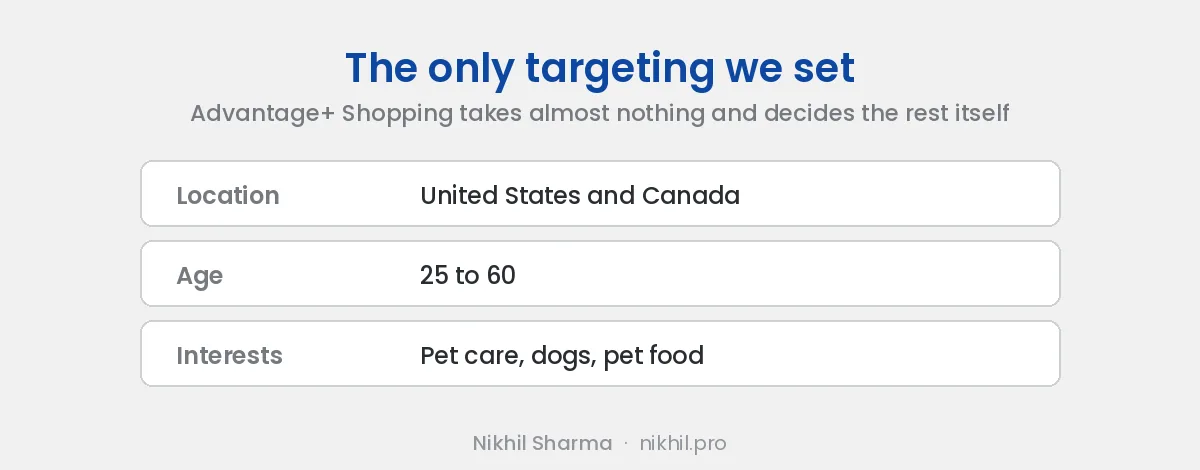
Meta’s description: it uses machine learning to find your highest value customers across Meta’s apps with minimal input. In plain terms, you supply a country, a catalogue, your creative and a budget, and Meta decides who sees which ad, where, and how the budget splits between them. The interest stacks, the lookalike percentages and the placement spreadsheets are gone, and Meta runs on the signal from your pixel and your customer list instead.
The comparison people reach for is Google’s Performance Max, and it is a fair one, with the same strength and the same catch. The strength is that Meta sees more about who buys than you do. The catch is that it optimises on whatever signal it has, and if the signal is thin or wrong, it finds the wrong people confidently.
What changed in 2025
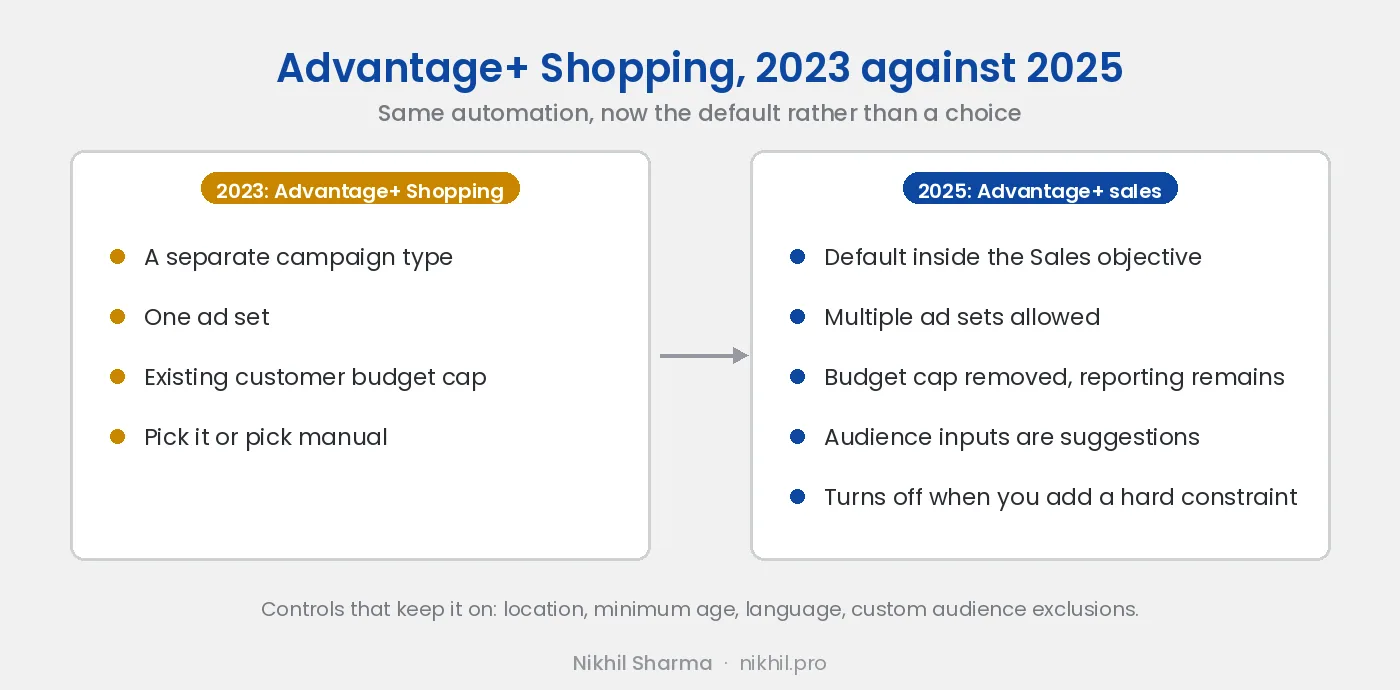
Meta rebuilt campaign creation. There is no longer a choice between an Advantage+ Shopping campaign and a manual sales campaign. You pick the Sales objective and Advantage+ is on by default, shown by an indicator in the setup, and it stays on as long as three things stay close to their defaults: budget, audience and placements.
Switch to ad set budgets with more than one ad set and it turns off. Restrict the audience by unchecking the suggestions or adding fixed targeting and it turns off. Customise most placements and it turns off. Locations, a minimum age, a language and custom audience exclusions are controls and are allowed. Everything else you add is a suggestion, and Meta can and will reach past it.
Two practical differences from the old campaign type. Advantage+ sales allows multiple ad sets, which Advantage+ Shopping did not. And the existing customer budget cap, which let you limit how much of the spend went to people who had already bought, was removed. The reporting split between new and existing customers remains, and that reporting is now your only control over the retargeting problem below.
Meta called this a rename. It is closer to a replacement, and the old campaigns are being retired.
What it needs from you
Purchase signal. The campaign learns from conversions. A pixel with no purchase history gives it nothing to learn from and it will optimise for whatever converts cheapest, which on most stores is people who were going to buy anyway. Below around fifty purchases I would not switch it on. Run the $45 a day test first to generate the data, with tracking that actually records purchases.
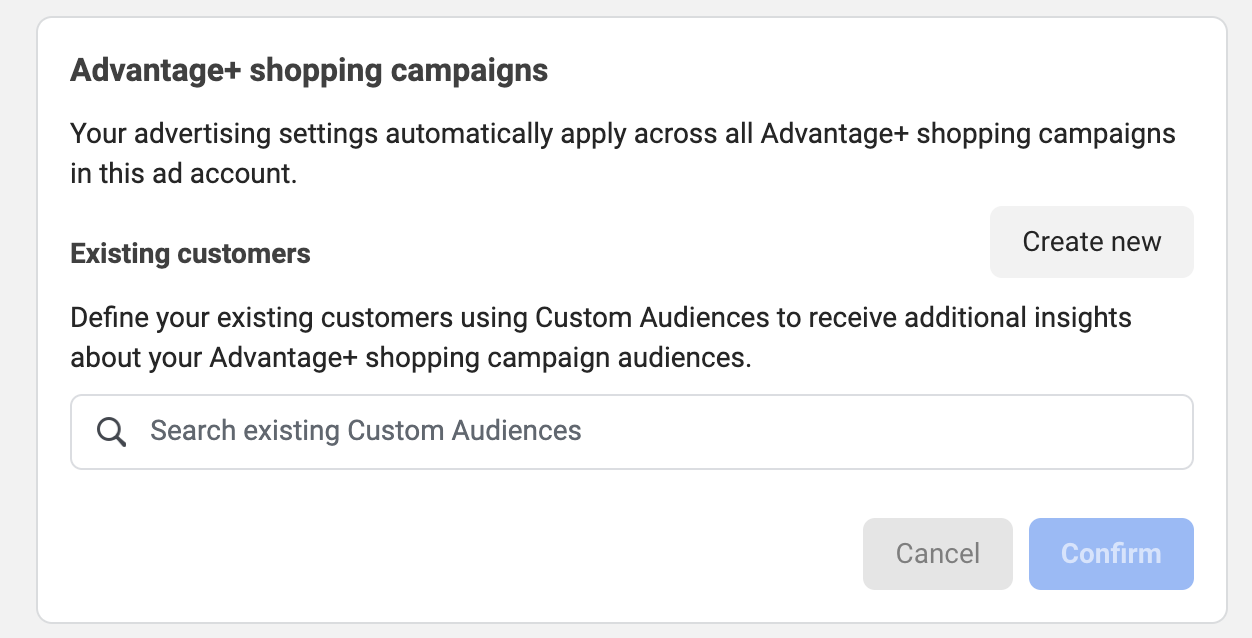
An existing customer list. Upload your customers as a custom audience and set it as the existing customer segment in the ad account settings, under Advertising and then Audience segments. Without it, Meta counts your returning buyers as acquisitions and the campaign looks far better than it is. With it, you can see what share of spend is finding new people. On most accounts I open, that share is lower than the owner thinks.
Distinct creative. Four to eight ads that are different concepts. Since Andromeda, Meta groups near identical creatives and spends on one, so twenty versions of one shot is one ad. Meta allows fifty per ad set and advises against more than six, which is the first time I have agreed with a Meta recommendation on ad count. The mechanism is in creative similarity explained.
A catalogue. A catalogue ad inside the campaign lets Meta pick the product per person, and after five days the click counts by product are the cheapest product research you will run.
How to set one up now
Create a campaign with the Sales objective. Leave the budget at campaign level. Set the country or countries and a minimum age, and leave everything else in the audience section as suggestions. Add the existing customer list under account settings if you have not. Leave placements on Advantage+. Add four to eight ads, at least one catalogue ad, and a mix of video and stills. Launch and do not touch it for five days.
The indicator should read Advantage+ on. If it does not, one of the three inputs became a constraint, and the setup screen tells you which.
When a manual campaign still wins
Three cases. A new store with no purchase history, where a manual campaign with broad targeting will produce cleaner learning than automation guessing. A test where you need to know which audience responded, which Advantage+ hides by design. And a product that can only legally or practically be sold to a narrow segment, where the suggestions Meta can reach past are not good enough and you need a control.
Everywhere else, the automation finds buyers better than an interest stack does, and the structure I run on scaling accounts is built on it: a small number of Advantage+ campaigns, a clean customer list, Google Shopping underneath, and creative as the variable. That structure is in the scaling post, and the numbers to judge it on are in the KPIs post, because platform ROAS on an Advantage+ campaign without an existing customer list is the most flattering number in advertising.
Want help with this?
I work with Shopify brands on Meta and Google Ads, alongside running data and operations engineering for a DTC brand. If you want someone to check whether your Advantage+ campaigns are finding new customers or recycling old ones, book a call. The existing customer split is the first thing I look at.
Frequently asked questions
What is an Advantage+ Shopping campaign?
What is the difference between Advantage+ Shopping and Advantage+ sales?
What turns Advantage+ off in a sales campaign?
Does Advantage+ work on a new pixel?
How do I stop Advantage+ from retargeting my own customers?
Is Advantage+ Shopping worth it in 2026?
How many ads should go in an Advantage+ campaign?
Get new posts in your inbox
Occasional notes on Shopify, paid ads, and what I learn. No spam.
Thanks. Check your inbox to confirm.

Nikhil Sharma
I run data and operations for a DTC brand on Shopify, consult on Meta and Google Ads, and build AI automations for ecommerce teams. I write about what I build and run.